
Back to blog
Aug 20, 2026
AI Anime Video Generator: Seedance 2.5 Workflow | MkAnime
Choose the right Seedance 2.5 workflow in MkAnime, set duration, ratio, resolution, and audio, then generate and revise your first anime clip.
Aug 20, 2026
Choose the right Seedance 2.5 workflow in MkAnime, set duration, ratio, resolution, and audio, then generate and revise your first anime clip.
Choose the entry point that matches what you already have, then set duration, ratio, and audio before you generate your first Seedance 2.5 clip.
By Sonya, Contributor of MkAnime · Published August 20, 2026
Disclosure: Sonya contributes to MkAnime, whose Seedance 2.5 workflow is described in this guide. AI assistance was used to organize and edit the article. The workflow steps and MkAnime product claims were reviewed against the current implementation on August 20, 2026.
An AI anime video generator is most useful when you know what kind of control the shot needs before you generate it. In MkAnime, Seedance 2.5 has two practical entry points: a text-only generator for direct experiments and a project workflow for shots that need visual references or continuity.
This guide helps you choose the right path, set the generation controls, run a clip, and decide what to revise next. It focuses on the current MkAnime workflow rather than repeating the separate scene-quality tests already published on the site.
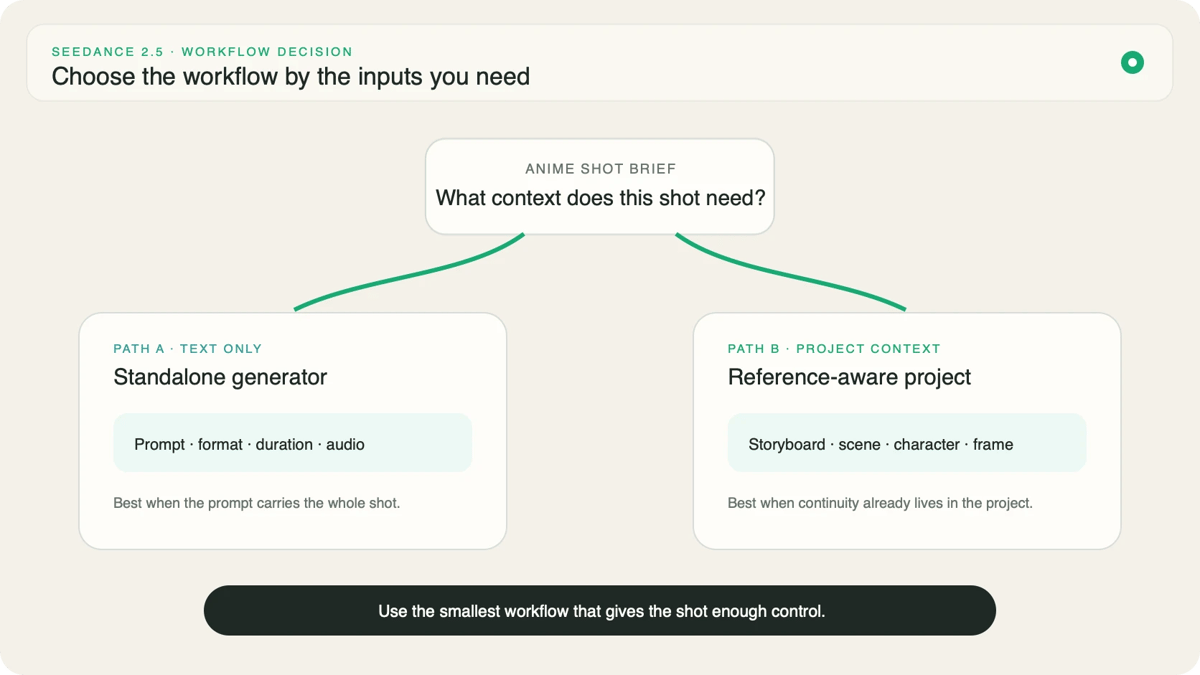
Choose by the inputs you already have, not by which page looks more advanced. If the idea can be communicated as one self-contained shot brief, the standalone generator is the shorter route. If a character, location, pose, opening frame, ending frame, or movement reference must survive the generation, work inside a project.
| Your starting point | Better entry point | Why |
|---|---|---|
| A written shot idea | Text-only generator | You can test direction without preparing assets |
| A tested prompt from the library | Text-only generator | The prompt can be loaded, adjusted, and generated directly |
| A specific first or last frame | Project workflow | The frame becomes a visible boundary for the shot |
| A recurring character or storyboard | Project workflow | References and scene context stay connected to the shot |
| A motion clip you want to use as guidance | Project workflow | The movement reference belongs with the production context |
The important boundary is simple: the public Seedance 2.5 video generator takes text, while a project can carry additional visual and story context. Do not write a reference-heavy prompt and assume it is equivalent to supplying the reference itself.
The standalone generator is designed for a prompt-first test. You write the shot, choose an aspect ratio and resolution, select 5, 10, 15, or 30 seconds, decide whether generated audio should be on, review the credit quote, and start the job.
That makes it a good fit for three kinds of work:
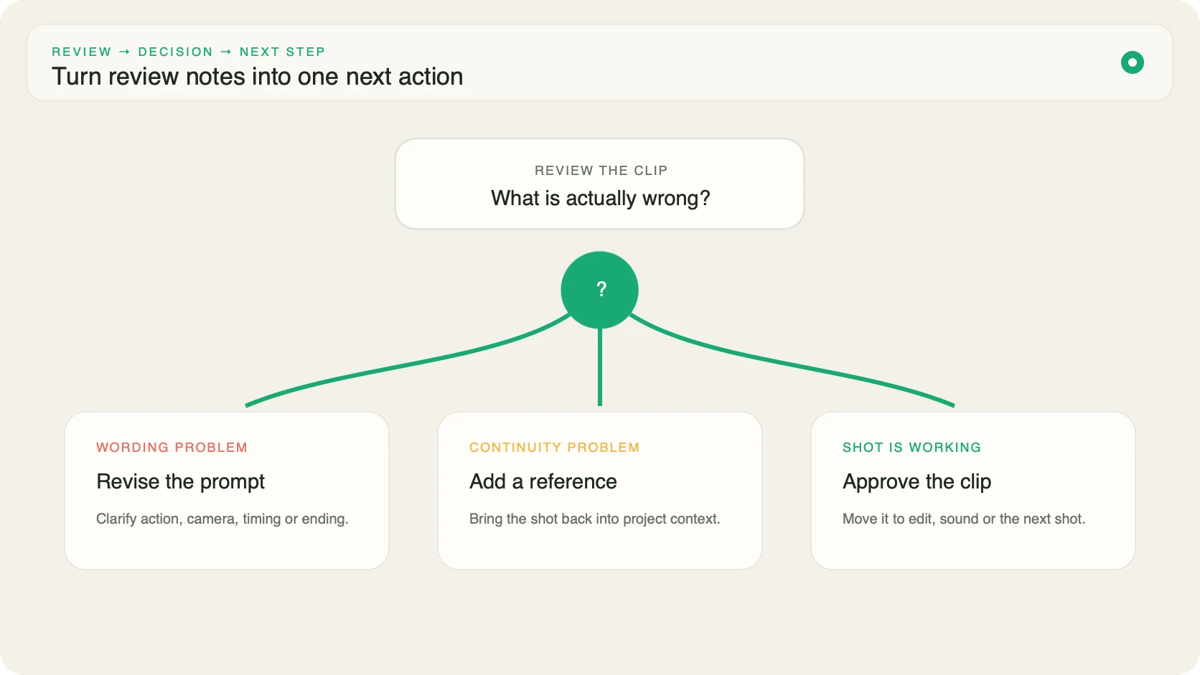
Treat the first result as evidence, not as a verdict on the whole idea. Check whether the main action is readable, whether the camera follows the assigned role, and whether the ending lands on a usable composition. Those observations tell you what to change in the next prompt.
Move into a project when the cost of losing context is higher than the convenience of another text-only attempt. A recurring lead character, a prop that must stay on the correct side, or a storyboard transition is a continuity problem, not merely a wording problem.
The Seedance 2.5 project workflow can pass starting images, first-and-last-frame decisions, motion references, characters, and storyboard context with the shot. This does not guarantee identical pixels across every frame. It gives the generation a clearer source of truth than prose alone.
Use the smallest reference set that resolves the actual risk. One approved character reference and one clear first frame are often easier to interpret than several images that disagree about hairstyle, clothing, lighting, or camera angle.
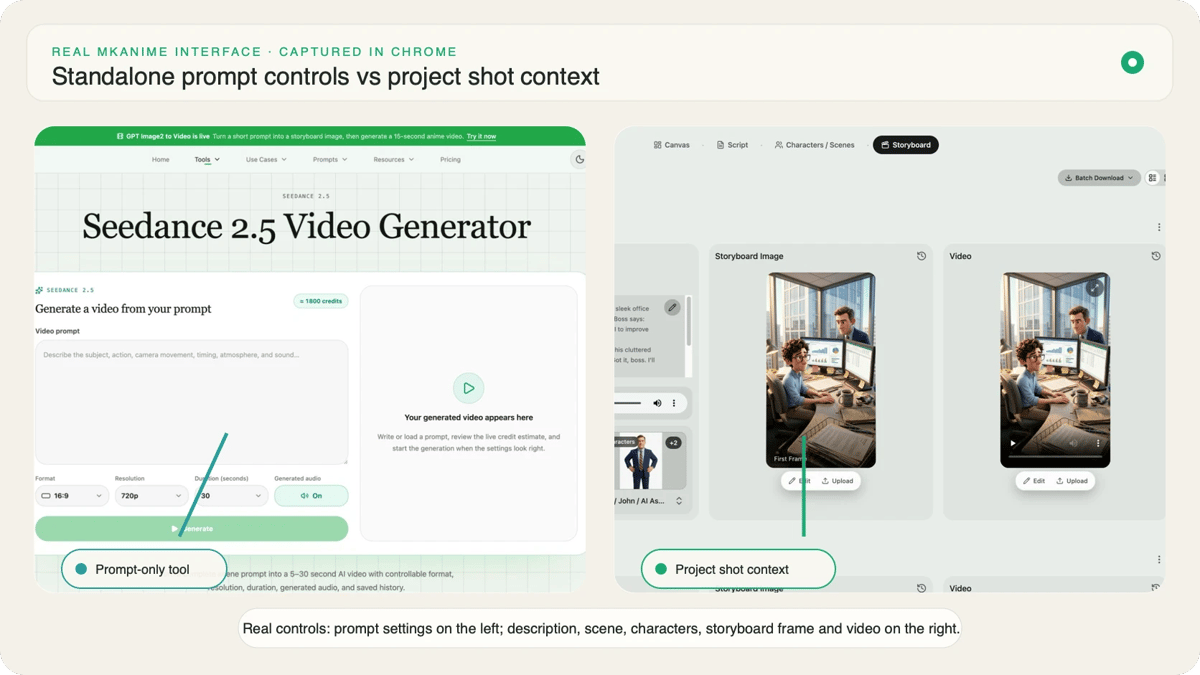
Settings are production decisions, not export cleanup.
Choose the aspect ratio for the destination. A vertical short should begin as a vertical composition so faces, hands, and action are staged for that space. A horizontal scene should use the room for entrances, eyelines, and lateral movement rather than leaving empty edges that will later be cropped away.
Choose duration by the number of visible beats. Five or ten seconds suits one action or reaction. Fifteen seconds can hold a setup and payoff. Thirty seconds needs a deliberate sequence of changes; otherwise the model has time but no direction.
Resolution affects the quoted cost, so confirm the displayed quote before generating. Turn generated audio on only when sound belongs to the experiment. If you are testing camera blocking or character motion, silent output may make comparison easier; if dialogue, ambience, or synchronized action is part of the shot, include it in the brief and keep audio on.
Before pressing Generate, read the prompt once as a shot list. You should be able to underline the subject, starting state, action chain, camera role, timing, ending state, and sound direction. If two instructions compete—for example, “locked camera” and “fast orbit”—resolve the conflict first.
MkAnime requires a signed-in account to start a generation. Once the job begins, the result area reports its state while the page polls for progress. The standalone tool allows one active Seedance 2.5 generation per account, which keeps the quote and current task unambiguous.
Use the waiting time to write a review checklist:
Completed generations remain in the account's private history. Reopen a result to recover its prompt and settings, then compare it with the next attempt using the same criteria.
Change one control at a time. If the character moves correctly but the framing drifts, keep the action language and simplify the camera direction. If the first half works but the ending weakens, preserve the setup and specify the final composition. If a prompt from the Seedance 2.5 prompt examples is close to your goal, adapt its structure rather than copying surface details that do not belong to your scene.
A useful comparison records the prompt version, settings, observed failure, and the single change made. Without that record, repeated generation becomes guessing.
Stay in the text-only generator when you are still discovering the shot: testing a camera choice, motion phrase, duration, or audio direction. Move into a project when you have approved visual decisions that should survive into later shots.
The handoff is not “simple mode” versus “professional mode.” It is exploration versus continuity. Choose the entry point that protects the most important decision in the scene, then review the result against that decision before spending another generation.
From inspiration to complete plot, quickly output chapter structure