People who search for a 3D anime character creator usually want one of two things. Some want a 3D model they can rig, pose, and load into a game or VTuber app. Others want a character that looks 3D: soft volume, rendered light, the feel of an animated movie or a 3D anime game.
The MkAnime anime character creator does the second. It draws an original character from your written description, and its default style is a 3D animated-movie look. This guide shows which 3D styles to pick, how to write a brief that holds up in a 3D render, and what the tool does not do, so you know before you start whether it fits your project.
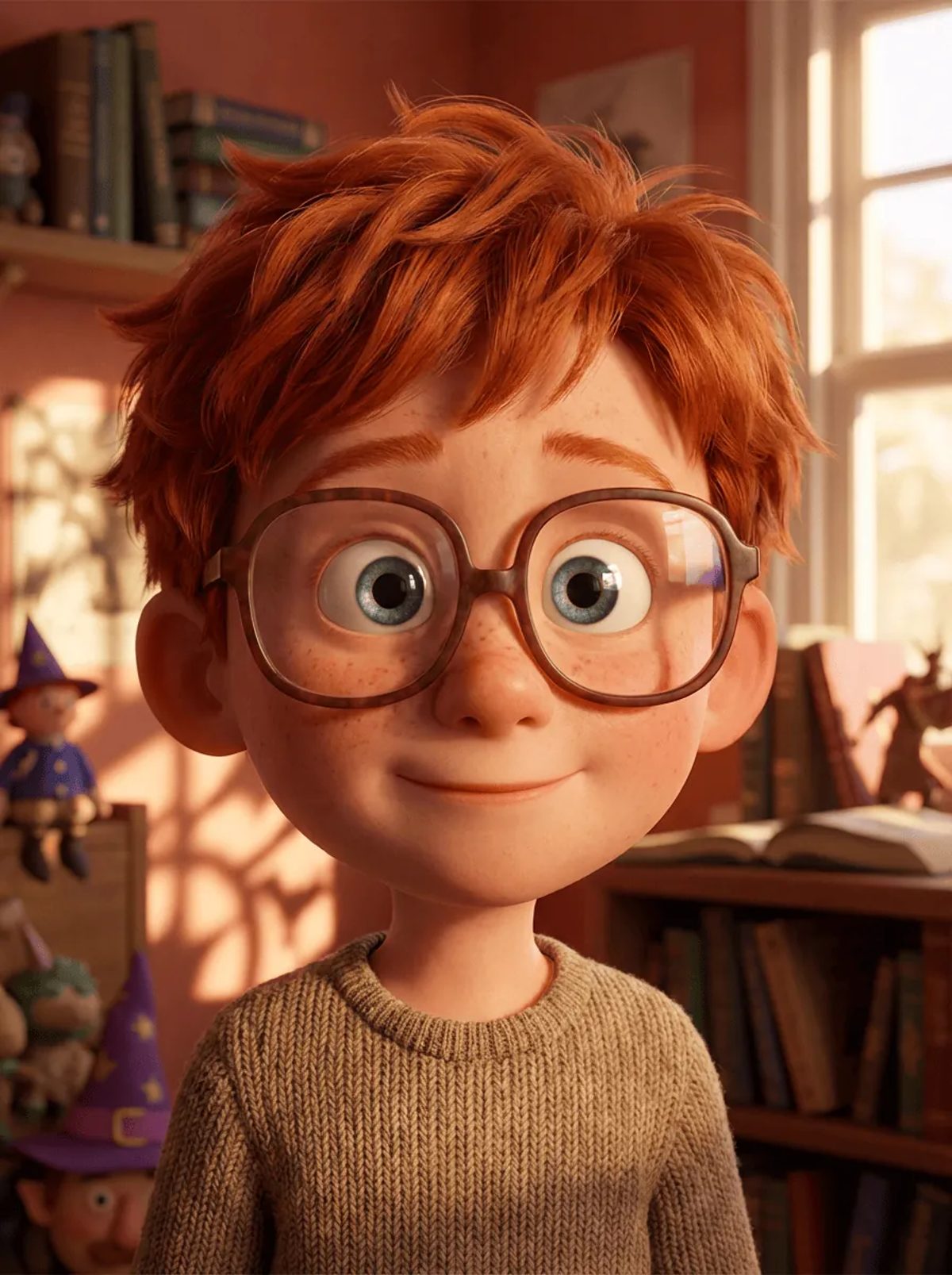
The American 3D style preview from the MkAnime Style Picker. The character creator puts your character on a plain white background instead of a room like this.
Be clear about the output before you spend a generation on it:
- You get images, not a model file. There is no mesh, rig, VRM, FBX, or OBJ export, and you cannot rotate the character freely.
- The 3D look comes from the style. The image model renders the character as if it were a 3D animated character: rounded volume, soft shading, material detail on hair and cloth.
- You still get several angles. Every generation includes a reference sheet with front, side, and back views of the same character, which is what most people need when they brief a 3D artist or plan a 3D model later.
If you need a model you can rig today, use a dedicated 3D character tool. If you need a 3D-looking design, a turnaround, or a consistent character for images and videos, read on.
Each generation returns two images of the same character:
- A 3:4 full-body image at 2K, front view, centered on a plain white background.
- A 16:9 reference sheet made from that image: a large portrait close-up on the left and full-body front, side, and back views on the right, in a neutral standing pose.
The 3D look is strongest in the full-body image. The reference sheet is drawn from that image with a fixed turnaround template (clean line art, soft cel shading, flat colors) plus your chosen style, and your written description is not sent again, so a 3D main image can come back noticeably flatter on the sheet. Treat the sheet as a guide to shapes, outfit, and colors from every side, not as a second 3D render.
The inputs are a name (required, up to 120 characters), a description (required, 3 to 1,200 characters), and a style from the Style Picker. There is no photo or sketch upload. You need to sign in to generate, and each account runs one generation at a time.
The style decides most of the 3D feel, so choose it first. At the time of writing, these presets in the Style Picker give a 3D look:
| Style | What it looks like | Good for |
|---|
| American 3D (default) | 3D animated-movie characters: big expressive eyes, soft light, detailed hair, skin, and fabric | Family-film heroes, mascots, cozy everyday characters |
| Cel-Shaded 3D | A 3D anime game look: anime faces and clean lines on a rendered 3D form, soft gradients | Anime game characters, sci-fi and fantasy casts |
| 3D Chibi | Small, round, vinyl-toy proportions with a smooth glossy finish | Figures, stickers, cute mascots |
| Clay Toy | A handmade clay-figure look with soft, rounded shapes | Stop-motion style characters, toy concepts |
| Chinese 3D Animation | Realistic 3D fantasy animation with flowing robes and detailed materials | Wuxia and xianxia heroes, ornate costumes |
The creator opens with American 3D, so if that is the look you want you can write the brief straight away. For an anime-game look, switch to Cel-Shaded 3D before you generate: the same brief can come back quite different in each style.
Style names and the list can change. Open the Style Picker and look at the thumbnails before you choose.
A 3D render shows shapes, materials, and light. Flat-art tricks such as line weight or screentone have nothing to hold on to, so describe what has volume and texture:
- Who and how old, in one line. "A woman in her twenties, a starship mechanic, tall and athletic."
- Face and head shape. Eye shape and color, face shape, one facial mark.
- Hair as a shape. "A short spiky undercut," "a heavy braid over the left shoulder." Volume and silhouette read better in 3D than strand detail.
- Outfit with materials. Say what each piece is made of: "a padded canvas jumpsuit," "a glossy leather jacket," "a knitted wool scarf." Materials are where 3D styles shine.
- Props and accessories. One or two at most: "a heavy wrench on her belt," "round glasses."
- Proportions. "Realistic proportions," "big head and small body," "long legs." 3D styles exaggerate proportions on their own, so say it if you want something specific.
- One signature detail. A scar, an earring, a patch on the sleeve. One is enough.
- Palette. Two or three main colors and one accent.
Keep it to one paragraph about what is visible. Backstory and personality give the model nothing to render.
Juniper, a girl around eleven years old, small and energetic. Round face, big green eyes, freckles across the nose, a gap-tooth grin. Thick curly red hair tied up with a yellow scrunchie. Wears an oversized mustard knit sweater with rolled sleeves, denim overalls with a paint stain on the right knee, and scuffed white sneakers. Carries a homemade cardboard telescope. Palette: mustard, denim blue, red, white accent.
Sora Vale, a young man in his early twenties, a sky courier. Slim build, sharp blue eyes, short silver hair swept to the right with one long strand over the eye. Wears a white high-collar flight jacket with blue panels and a glowing cyan trim, black fitted trousers, knee-high boots with metal plates, and a satchel across the chest. A small cyan earring on the left ear. Palette: white, navy, silver, cyan accent.
Mochi, a cheerful baker, big head and tiny body. Huge round brown eyes, rosy cheeks, short brown bob. Wears a tall white chef hat, a pink apron with a strawberry pocket, and a white shirt. Holds a whisk in the right hand. Smooth glossy vinyl-toy finish. Palette: pink, white, brown, red accent.
Lan Yue, a swordswoman in her late twenties, tall and composed. Long black hair in a high ponytail tied with a silver ring, calm grey eyes, a thin scar on the left cheek. Wears layered pale blue silk robes with silver cloud embroidery, a dark blue sash, and wrist guards. A slim straight sword in a white scabbard on her back. Palette: pale blue, silver, black, dark blue accent.
The main image always uses a plain white background, so the tool removes background talk from your description. It splits the text at commas, semicolons, and line breaks, then drops every piece that contains background, backdrop, scene, setting, or environment. Periods do not split the text.
So "a jacket the color of a sunset scene" disappears, jacket color included. Describe colors directly ("a burnt-orange jacket") and leave rooms, cities, and skies out of the character brief.
Open both images at full size and check:
- Style. Does it look like the 3D style you picked, or did it drift flat? If it drifted, check the Style Picker selection before you rewrite anything.
- Materials. Do the jacket, the knit, and the metal read as the materials you wrote?
- Turnaround. Are the hair shape, accessories, and the signature detail on the same side in the front, side, and back views?
- Proportions. Is the head-to-body ratio what you asked for in every view?
Change one part of the description per attempt, so you know which edit helped.
The reference sheet is the useful handoff. If you plan to build a real 3D model later, give the full-body image and the front, side, and back views to the modeler as concept art; they show silhouette, outfit layers, and colors from every side. Inside MkAnime, the same saved brief lets you draw the character again, and the consistent character guide explains how to keep the design stable across scenes.
- No 3D model export. Images only: no mesh, rig, VRM, or game-ready file.
- One character per generation. A duo or a team is several generations.
- No uploads. You cannot start from a photo, a sketch, or a screenshot of a 3D model.
- Original characters only. Do not use the tool to recreate a character from an existing film, game, or series. Give your character its own name, outfit, and colors.
- Safe for work. The image service runs its own safety checks, and a request it flags can fail instead of returning images.
For a head-to-toe outfit brief, see the full body anime character maker guide. For flat 2D or pixel versions of the same character, the 2D and pixel character maker guide lists the 2D presets. If you want to compare the look of different styles before you commit, the anime art styles guide walks through them side by side.
The MkAnime anime character creator draws original characters in 3D styles. Its default style, American 3D, gives a 3D animated-movie look, and Cel-Shaded 3D gives a 3D anime game look. One generation returns a full-body image and a front, side, and back reference sheet.
No. The output is two images: a full-body image and a reference sheet. There is no mesh, rig, VRM, FBX, or OBJ file, and the character cannot be rotated freely.
Use Cel-Shaded 3D for an anime game look with anime faces on a 3D form, and American 3D for a 3D animated-movie look. 3D Chibi gives a small vinyl-toy look, and Chinese 3D Animation suits ornate fantasy costumes.
Yes. Every generation includes a reference sheet with a portrait close-up and full-body front, side, and back views of the same character in a neutral standing pose. The sheet uses a turnaround template with flat colors, so it can look flatter than the 3D main image.
No. The creator works from a name, a written description, and a style only. There is no photo upload, so describe the features you want in words.
You need to sign in to generate. Check the pricing page for the current plans before you start.
