
Back to blog
Feb 17, 2026
How to Keep AI Anime Characters Consistent Across Shots
Learn a practical AI anime character consistency workflow using a stable design brief, reference sheet, three-shot test, and drift diagnosis checklist.
Feb 17, 2026
Learn a practical AI anime character consistency workflow using a stable design brief, reference sheet, three-shot test, and drift diagnosis checklist.
A production workflow for reducing character drift with stable identity anchors, approved references, and controlled shot review.
By Sonya, Contributor of MkAnime · Updated August 2, 2026
Disclosure: AI assistance was used to organize and edit this guide. Its workflow, interface descriptions, and MkAnime product claims were reviewed against the current implementation on July 31, 2026.
To keep an AI anime character consistent across multiple shots, define the character’s permanent identity once, create an internally consistent set of visual references, reuse those approved references, and test the design under different framings before producing a long sequence.
The goal is recognizable continuity. Generative images and clips will still vary, especially when the pose, camera angle, lighting, or number of characters changes.
Use this workflow:
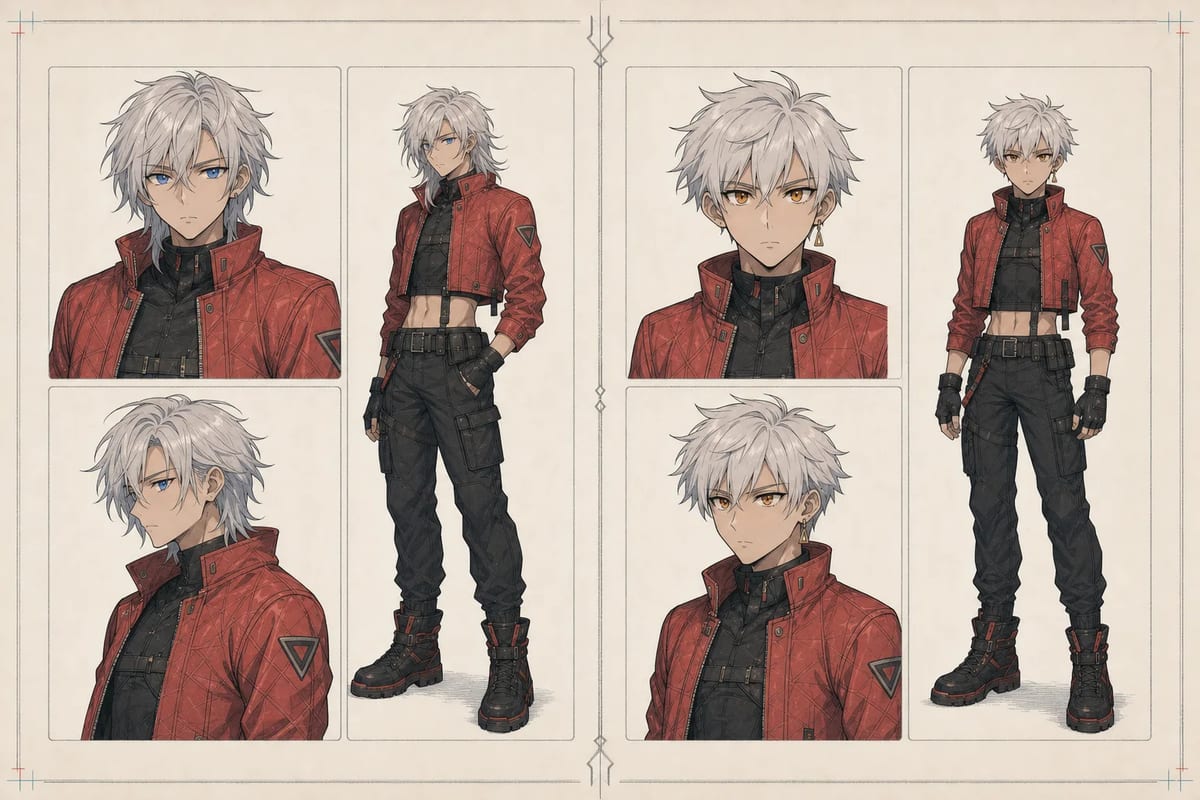
AI-generated conceptual comparison of character drift and a more consistent multi-shot result.
Character drift is an unintended change in a recurring character’s identity between generated images or video shots.
Common examples include:
Small differences in linework, shading, and expression are normal. Drift becomes a continuity problem when the audience needs extra effort to recognize the character or when a design detail changes the story.
Every generation interprets the character under a new combination of pose, framing, expression, lighting, background, motion, and reference context.
A text label such as “short silver hair and a teal jacket” leaves many visual decisions unstated. It does not define the exact hair silhouette from the side, the jacket seam pattern, the character’s facial proportions, or which ear carries an earring. When the angle changes, the model may resolve those gaps differently.
Drift risk increases when:
Separate the details that define the character from the details that belong only to one shot.
Keep the permanent identity wording stable while testing shots. If one difficult image fails, revise the shot instruction or reference context before changing the character definition.
Mina, an adult sky courier; angular face; short silver hair with a left-side part; teal eyes; cropped teal flight jacket with a charcoal collar; charcoal utility trousers; brass compass on the right hip; slim athletic build; no helmet; no cape.
This description favors visible, testable details. Personality and backstory belong in the brief only when they affect expression, posture, costume, or another visual decision.
A useful character reference set resolves the views and design details that will recur in the project.
At minimum, include:
Additional back views, expressions, hand details, or costume breakdowns are useful when the story actually requires them. More references help only when they describe the same character.
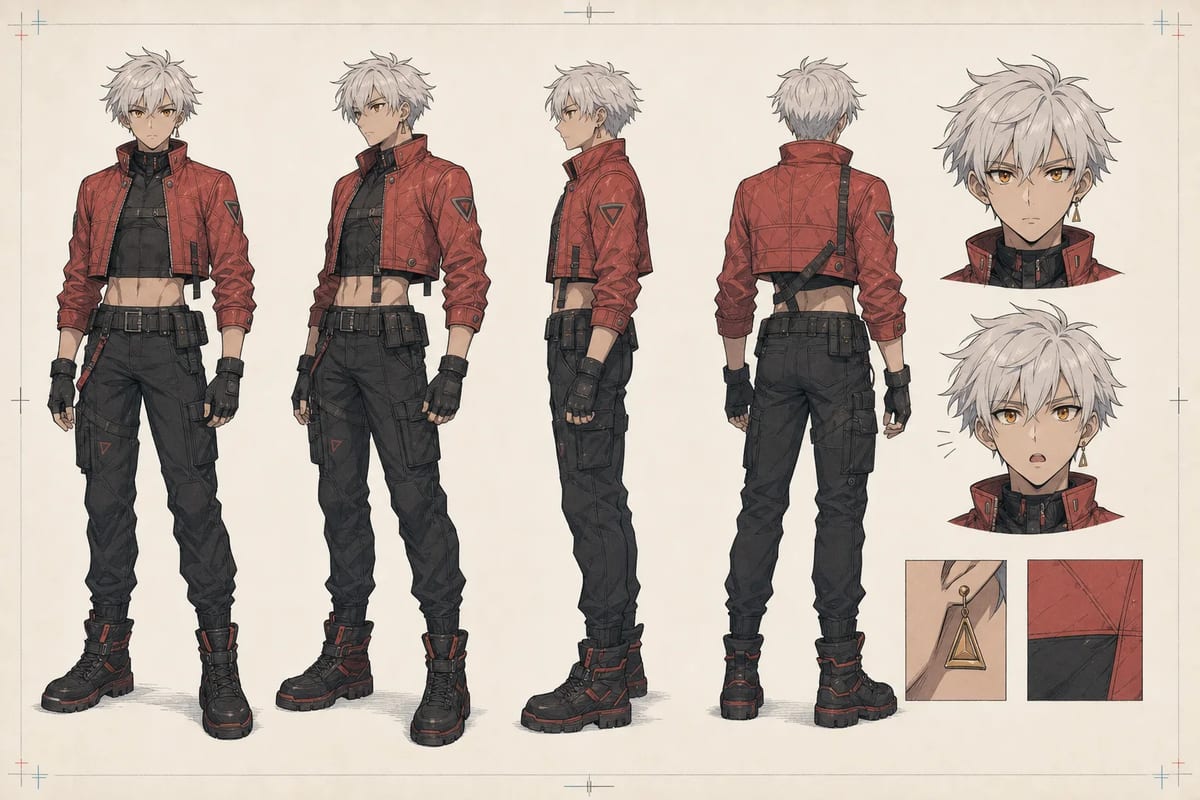
AI-generated character sheet used as the identity anchor for the examples in this guide.
The current MkAnime AI anime character creator uses a required written brief, character name, story role, and visual style, with an optional reference image. One generation produces two coordinated static assets:
Inspect both files at full size. Check the face, hair, anatomy, clothing construction, palette, accessories, and signature prop before treating either image as an approved production reference.
For a deeper guide to the sheet itself, read how to make an anime character reference sheet with AI.
Create two groups of assets.
These images agree with the character contract and can guide later work. Keep the final brief, selected style, generation date, and any permitted source references with them.
These images may be accepted, revised, or rejected. They do not become identity references automatically.
A partially drifted shot can influence future generations if it enters the approved set. Promote an output only after comparing it with the original full-body design and sheet.
Use version labels that record what changed:
mina-v1-initial-sheet;mina-v2-jacket-collar-corrected;mina-v3-side-hair-shape-corrected.Avoid labels such as final-final-2. A simple change log makes it easier to understand why one version replaced another.
Before generating a long sequence, test the character under three deliberately different conditions:
Compare the outputs side by side.
| Identity area | Pass condition | Warning sign |
|---|---|---|
| Face | Same recognizable proportions and key features | Different apparent age, jaw, eyes, or nose |
| Hair | Same length, parting, and silhouette | New fringe, length, texture, or color |
| Outfit | Same construction and major color blocks | Changed collar, sleeves, seams, or jacket length |
| Accessories | Correct item, side, material, and color | Missing, mirrored, duplicated, or redesigned |
| Body | Similar height, build, and proportions | Major changes in stature or limb proportion |
| Overall read | Recognizable immediately in all three shots | One frame appears to show a different character |
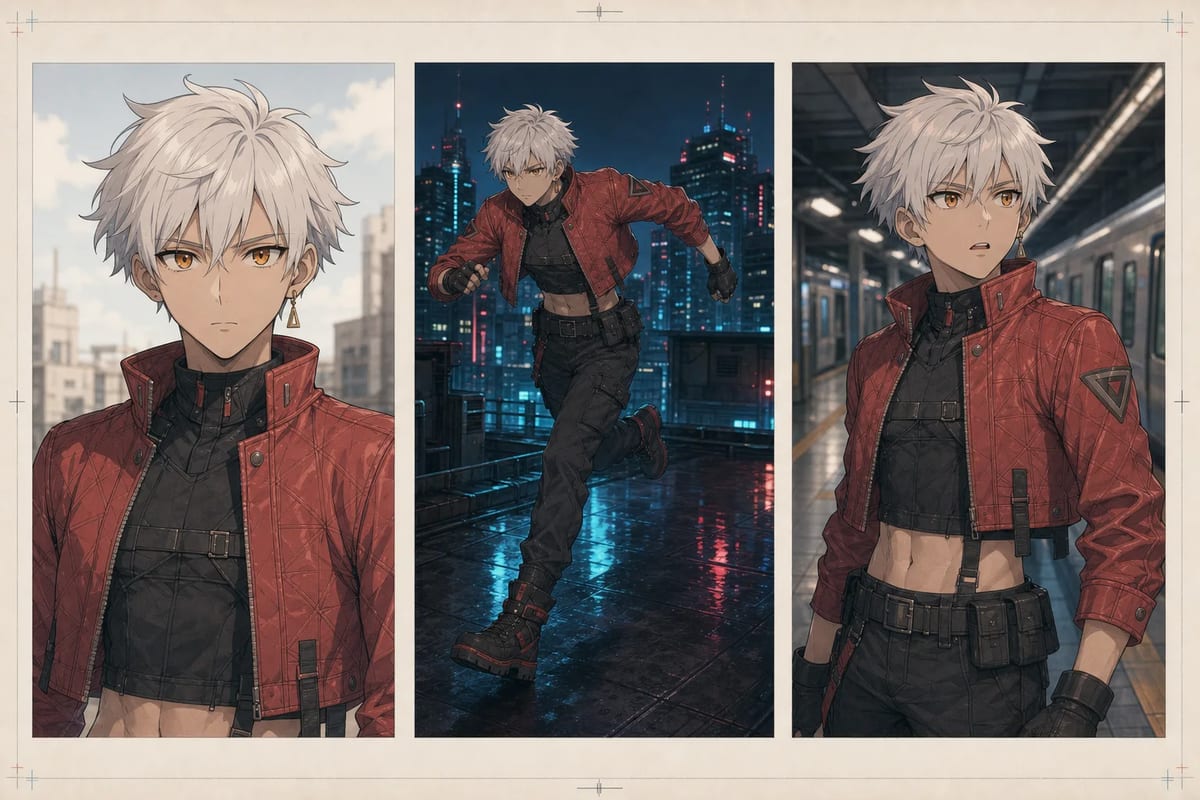
AI-generated three-shot demonstration created from a shared character reference.
Passing does not require identical pixels. The standard is stable identity across meaningful changes in framing and pose.
Regeneration works better when the diagnosis is specific.
When a test fails, preserve the approved identity contract and adjust one production variable:
Changing several variables at once makes it difficult to know what improved or damaged consistency.
Keep a short test log:
| Test | Changed variable | Result | Decision |
|---|---|---|---|
| 01 | Baseline close-up | Face matches; earring missing | Revise accessory reference |
| 02 | Added right-side accessory close-up | Earring restored; face stable | Approve close-up setup |
| 03 | Extreme low angle | Jaw and hair drift | Use a milder angle or add low-angle reference |
Keep this log with the project so later revisions can be traced to a specific input and result.
MkAnime currently exposes two related character workflows.
The public character creator generates and lets you download a full-body image plus a three-view reference sheet. It is useful when you need a focused character-design task or references for another production workflow.
In a connected MkAnime project, recurring character and scene context can remain associated with storyboard shots. This makes it easier to review the same identity source across a sequence and to revise a specific shot when it drifts.
Characters in a project are stored once at the project level, so the same records carry into every episode. If you are building more than one episode, see how to plan a multi-episode anime series in a project before you approve the cast.
The workflow reduces repeated setup. Each generated shot still needs visual review, and no reference system guarantees perfect identity under every pose or angle.
When you are ready to plan a connected sequence, use the AI anime storyboard generator and follow the script-to-anime storyboard workflow.
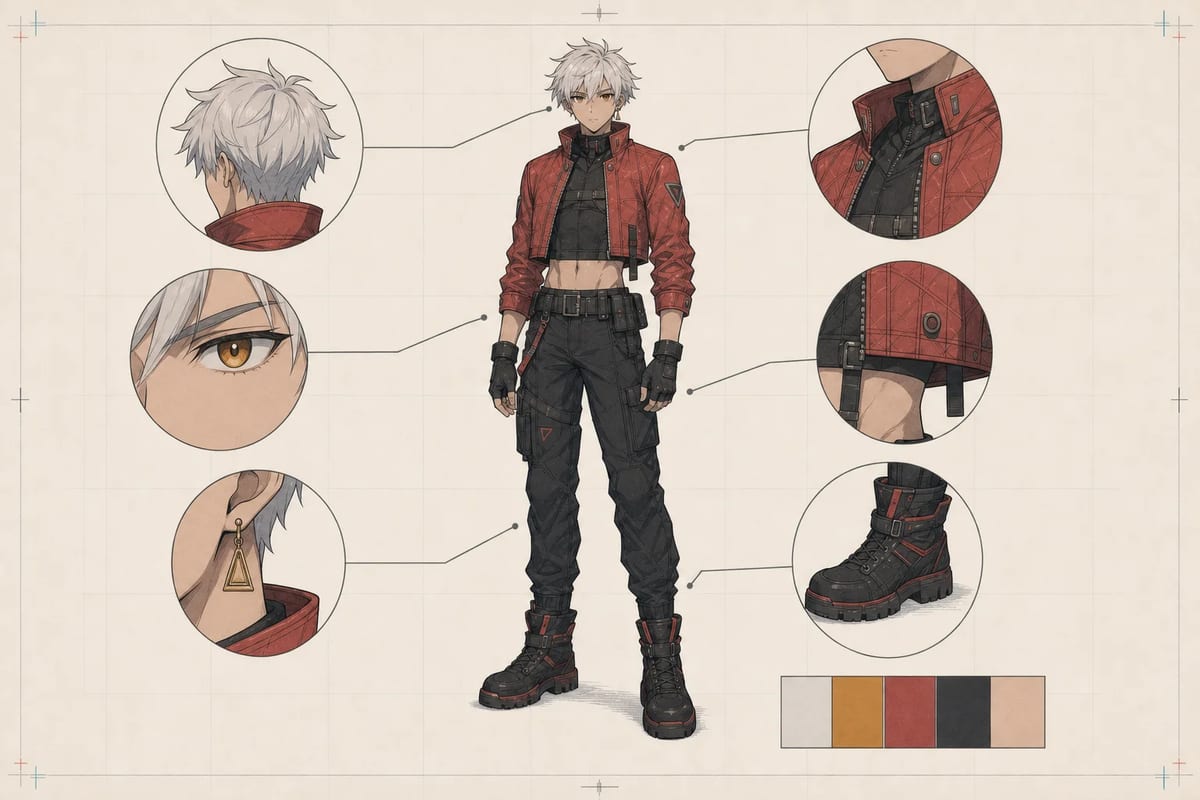
AI-generated identity-detail board for continuity review.
Before generating a sequence, confirm:
Stable prompt wording helps reduce ambiguity. A prompt still leaves many visual decisions unresolved across angles and poses. An approved visual reference set supplies additional context and gives the creator a concrete standard for review.
No. A shared seed may preserve some traits in a compatible workflow, while changes in pose, framing, expression, model, or reference context can still alter the design.
Use enough references to define the views and details the project requires. Internal agreement matters more than quantity. Start with a small approved set and add an image only when it resolves a real ambiguity.
Generative outputs normally contain variation. Aim for recognizable continuity in the face, hair silhouette, outfit construction, accessories, palette, and body proportions.
The current public tool generates two coordinated static images in one request: a 3:4 full-body character and a 16:9 reference sheet with front, three-quarter, and side views. Review the returned files before using them as production references.
AI anime character consistency is easier to manage when identity has a stable written contract and a small approved visual source of truth.
Define the character, check the full-body design and reference sheet, run the three-shot test, and diagnose drift by identity area. Preserve successful references and keep experiments separate. That process gives each new shot a clear target and gives the creator a repeatable way to decide whether it belongs in the sequence.
If the written identity brief still needs structure, start with the anime character prompt template before generating the reference set.
Create a full-body anime character and reference sheet with MkAnime.
For a motion example, see how the same visible identity anchors behave in our Seedance 2.5 anime character and scene tests, then generate a video with a prompt using your own character.
Sonya is part of the three-person team behind MkAnime and contributed to this guide’s research, editorial design, and product-fact review.
From inspiration to complete plot, quickly output chapter structure