
Back to blog
Sep 28, 2026
Anime Avatar Maker: Create an Anime PFP With AI
Use an AI anime avatar maker to create a square anime profile picture from a text prompt: framing, prompt structure, and how to keep the same avatar across versions.
Sep 28, 2026
Use an AI anime avatar maker to create a square anime profile picture from a text prompt: framing, prompt structure, and how to keep the same avatar across versions.
An anime avatar, or anime PFP, is a small square picture of a character that stands in for you on a profile: Discord, X, Twitch, a forum, a game account. It is shown tiny, often cropped to a circle, next to hundreds of other avatars.
Most anime avatar makers are dress-up builders. You pick a face shape, eyes, hair, and clothes from a parts menu, so your avatar shares its parts with everyone else who used the same builder. An AI anime avatar maker starts from a description instead. You write what the character looks like, and the model draws a new picture.
This guide shows how to make one with the MkAnime AI anime image generator: which settings to use, how to write an avatar prompt that still reads at thumbnail size, and how to make matching versions later.
The image generator has four inputs:
There is no photo upload, so this is not a "turn my selfie into anime" tool. You describe the character in words, which also means the avatar does not have to look like you.
Profile pictures are shown at 40 to 100 pixels and usually cropped to a circle. That changes what a good avatar looks like:
A reliable order:
Example prompt
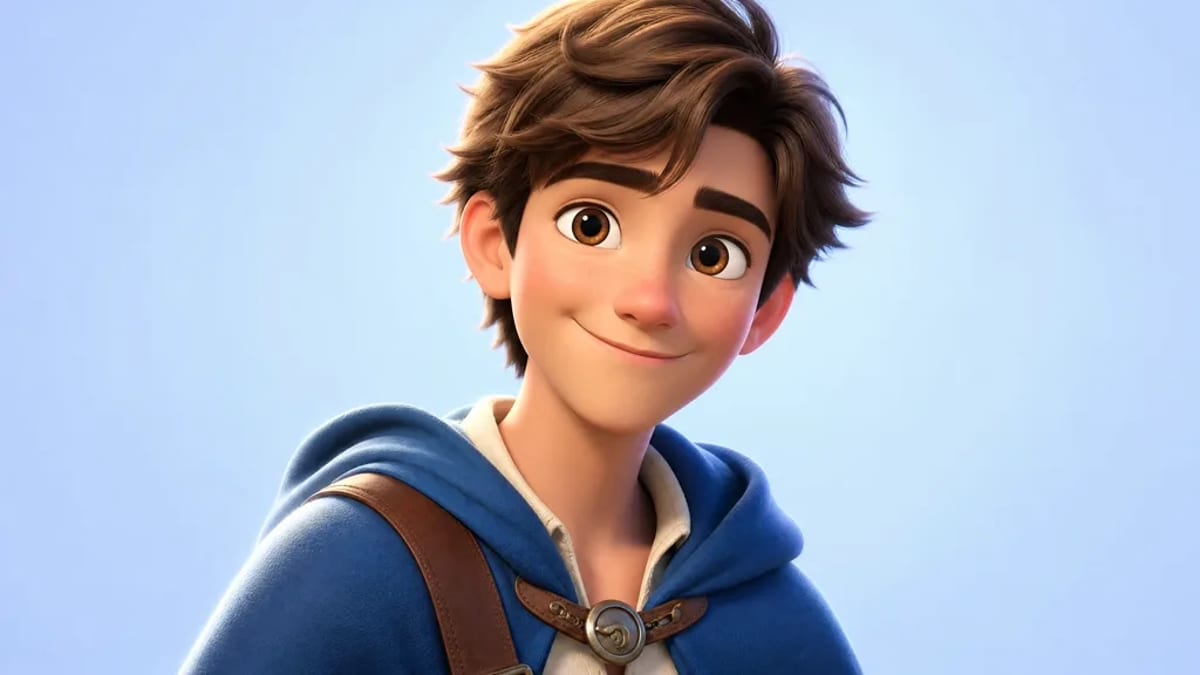
Head and shoulders portrait, centered, facing slightly to the left. Young man with warm brown eyes and a relaxed half-smile, messy chestnut hair falling over the forehead. Deep blue hooded cloak over a cream shirt, a leather strap across one shoulder with a round brass buckle. Plain light blue background.
Set the ratio to 1:1, pick a style, and generate. Then look at the result at the size it will actually be used. Shrink it, crop it to a circle, and check whether the face and the main color still read.
People often want a matching set: a seasonal version, a version for another platform, or a friend's avatar in the same style. To keep the character recognizable:
If you want a full character design first, with a full-body view and a front, three-quarter, and side reference sheet, start with the anime character creator or the anime OC maker guide, then write the avatar prompt from that design. For a cute, big-head version of the same character, see the chibi character maker guide.
Do not use the tool to recreate an existing copyrighted character or a real person's likeness. Describe your own design.
Generate at 1:1. A 1K square is enough for most platforms, which scale the image down anyway.
No. This tool works from a text prompt, a style, an aspect ratio, and a resolution. There is no photo upload.
No. It is a text-to-image avatar maker. You describe the character instead of choosing preset parts, so each avatar is drawn from your prompt.
Yes. Keep the same style preset and the same framing and background words, and change only the character description for each person.
Generation follows the current sign-in and account credit rules. Check the live pricing page before you start.
From inspiration to complete plot, quickly output chapter structure