
Back to blog
Sep 28, 2026
Chibi Character Maker: Create Chibi Anime Characters With AI
Use an AI chibi character maker to turn a short text brief into a cute chibi anime character, a square chibi avatar, or a full-body chibi design.
Sep 28, 2026
Use an AI chibi character maker to turn a short text brief into a cute chibi anime character, a square chibi avatar, or a full-body chibi design.
A chibi is a character drawn with a big head, a small body, and simplified hands and feet. The proportions make almost any design look cute, which is why chibis show up as stickers, profile pictures, emotes, merch mockups, and side gags in comics.
Most chibi makers online are dress-up builders: you pick eyes, hair, and clothes from a fixed parts library, and every result is assembled from the same pieces. An AI chibi character maker works from a description instead. You write what the character looks like, say that you want chibi proportions, and the model draws a new design.
This guide shows how to do that with the MkAnime AI anime image generator, how to write a chibi prompt that keeps the proportions, and when to switch to the anime character creator instead.
The image generator has four inputs that matter for chibis:
There is no reference-image upload and no chibi switch. Chibi proportions come from the prompt, so the prompt has to say it clearly.
Start with the proportions, then describe only what can be seen. A reliable order:
Example prompt
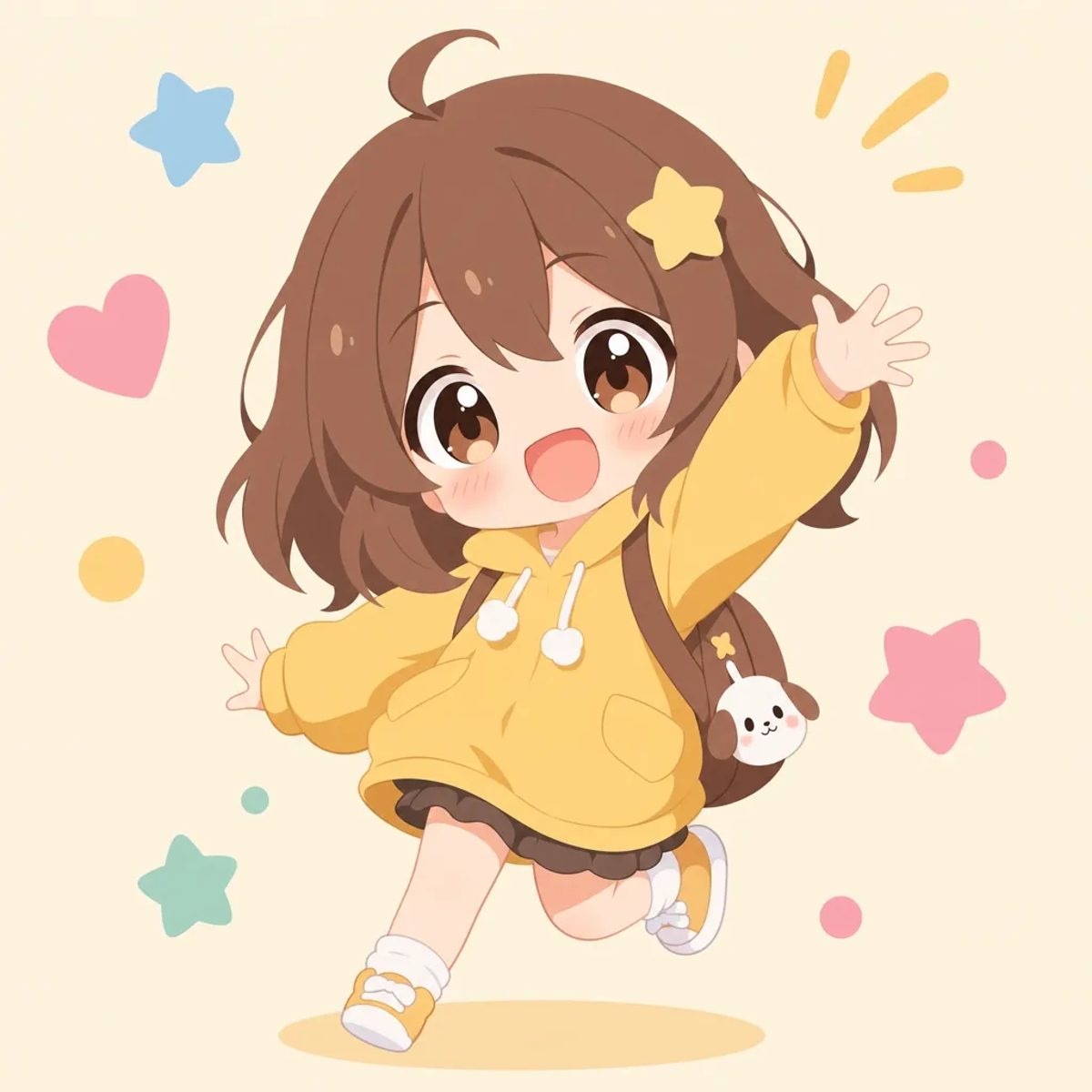
Chibi proportions, head about one third of total height, short rounded body, small hands and feet. Cheerful girl with large brown eyes and an open-mouthed smile, long wavy brown hair with a yellow star clip. Oversized mustard hoodie, dark pleated skirt, white socks, yellow sneakers. Small dog-shaped charm on her backpack. Full body, jumping forward with one arm raised. Plain cream background with a few pastel stars and hearts.
Choose 1:1 for a square version or 3:4 for a taller full-body version, pick a style, and generate.
If the result drifts toward normal anime proportions, the proportion line is usually too weak or too late in the prompt. Move it to the first sentence and make it concrete ("head as wide as the shoulders", "legs shorter than the head"). Remove long clothing descriptions that pull the model toward a fashion illustration.
Change one thing per new version. If you change the hair, the pose, and the style at once, you cannot tell which change broke the chibi look.
If you already have an original character, describe the same hair, colors, outfit, and signature item in the chibi prompt, and keep those words identical across versions. The design details carry over; only the proportions change. If you have not designed the character yet, start with the anime OC maker guide to get a full-size design and a reference sheet first, then make the chibi version.
Do not use the tool to recreate an existing copyrighted character as a chibi. Describe your own design and give it your own name.
The anime character creator returns a 3:4 full-body image plus a 16:9 front, three-quarter, and side reference sheet from one brief. Use it when you need to check a design from several angles, for example before turning a chibi mascot into a comic or an animation. For a single chibi picture, avatar, or sticker, the image generator is the faster route.
For more ways to vary a design, see different anime art styles for character design and the anime character prompt template.
It is a text-to-image chibi maker. You describe the character instead of picking preset parts, so each chibi is drawn from your prompt.
Set the aspect ratio to 1:1, ask for "head and shoulders, centered" in the prompt, and use a plain or softly patterned background.
Yes. Choose 3:4 and describe the pose and shoes in the prompt so the whole figure fits in the frame.
No. The image generator works from a text prompt, a style, an aspect ratio, and a resolution. Describe the character in words instead.
Generation follows the current sign-in and account credit rules. Check the live pricing page before you start.
From inspiration to complete plot, quickly output chapter structure