A cartoon character is built from simple shapes. A round head, a pear-shaped body, oversized shoes, one bright color that never changes. Those choices are what make a mascot, a webcomic lead, or a kids' story hero easy to recognize and easy to draw again.
You do not need to draw those shapes yourself to try them out. With an AI cartoon character maker you describe the character in words, choose a cartoon style, and the model draws a full-body design plus a turnaround sheet you can use as a model reference.
This guide shows how to do that with the MkAnime anime character creator. The tool is not limited to anime: its Style Picker includes 3D animation, toon, American comic, and flat graphic presets. Below you will find which of those to pick, how to write a brief for a cartoon design, and what the tool does not do.
One generation returns two images of the same character:
- A 3:4 full-body image, front view, centered on a plain white background, with no text.
- A 16:9 reference sheet made from that image: one large portrait close-up and three full-body views (front, side, and back) in a neutral standing pose.
Both are static images you can download. The tool does not animate the character, does not draw scenes or comic panels, and does not take an uploaded sketch or photo as a starting point.
- Character name. Required. Use the name you will use for the mascot or the story, so you can find the design again in your history.
- Character description. Required. Everything about the design goes here, in plain sentences.
- Visual style. Chosen in the Style Picker. The default is American 3D, which already gives a 3D animated-movie look.
You need to sign in to generate, and each account runs one generation at a time.
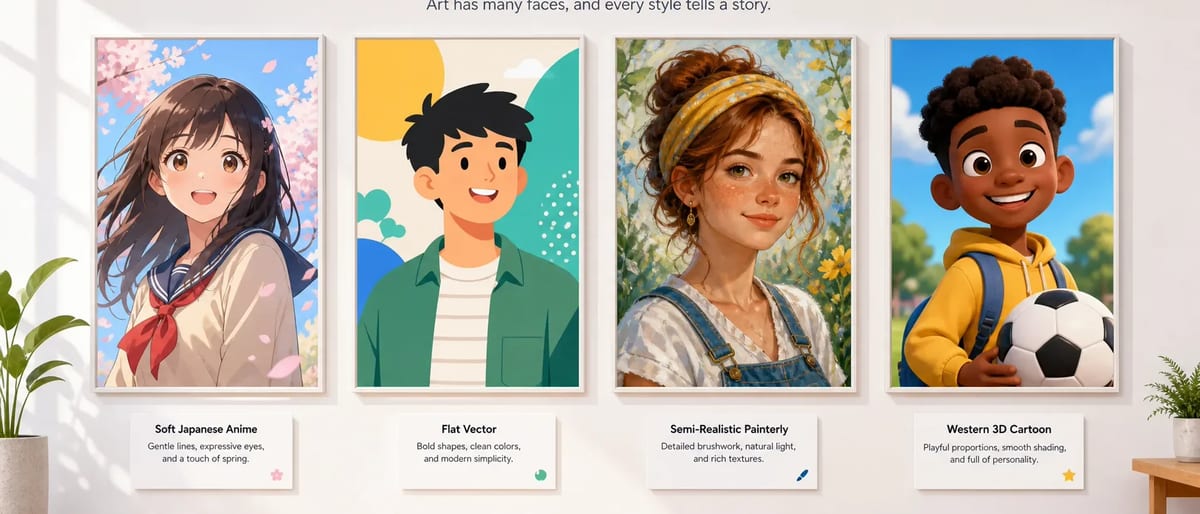
The Style Picker shows each preset as a named thumbnail and has a search box. Typing "3D", "Western", "toon", or "flat" narrows the list. At the time of writing, the presets that suit cartoon characters include:
- For a 3D animated look: American 3D (the default), Cel-Shaded 3D, Clay Toy, and 3D Chibi.
- For classic Western cartoons and comics: American Comedy, Classic American Comics, and American Bold Line Comics.
- For toon line art: Bold Dynamic Toon, Simple Flat Hand-drawn Toon, and Ink Line Toon.
- For flat graphic mascots: Flat Graphic Design and Vector Flat Blocks.
Pick one style for the whole cast. Characters made in different presets look like they come from different shows when you put them side by side.
Cartoon design starts with shapes and exaggeration, so describe those first. A reliable order:
- Role in one line. "A coffee shop mascot," "the hero of a picture book for five-year-olds," "a sidekick robot for a webcomic."
- Body shapes. Say which shapes the character is built from: "a round head and a small round body," "a tall, thin rectangle with long arms," "a triangle-shaped torso with tiny legs."
- Proportions and exaggeration. "Head as big as the body," "huge hands," "oversized sneakers." Cartoon characters read well when one or two features are pushed hard.
- A short color list. Two or three main colors, named plainly: "red cap, yellow hoodie, blue shorts." Fewer colors make the character easier to redraw.
- One signature item. A scarf, a backpack, a lightning-bolt patch. Something visible at a small size.
- Face and expression. Eye shape and one default expression: "big oval eyes, wide grin."
- Species, if it is not human. Animals, robots, and food characters work too: say what it is and which body parts it has.
Keep it to one paragraph and describe only what can be seen. Personality notes and backstory give the model nothing to draw.
Bean, a mascot for a small coffee shop. A round coffee bean with a tiny body, short arms, and short legs. Head and body are one shape, about as wide as it is tall. Warm brown body with a lighter brown stripe down the middle, a small white apron, and red sneakers. Signature item: a little paper cup held in one hand. Big oval eyes and a wide, friendly grin.
Pip, the hero of a picture book for young kids. A small seven-year-old girl with a very big round head and short limbs. Curly orange hair in two puffs. Green raincoat, yellow rain boots that are slightly too big, and a striped scarf. Signature item: a red backpack shaped like a ladybug. Big round eyes, freckles, and a curious, open-mouthed smile.
- Backgrounds are removed. The main image is always the character alone on a plain white background, and parts of the description that mention a background, scene, setting, or environment are dropped. Describe the character, not the café.
- One character per generation. A duo or a whole cast is several generations, one brief each.
- The reference sheet follows its own template. It is drawn from the main image with a fixed turnaround layout (clean line art, soft cel shading, flat colors) plus your chosen style. Your written description is not sent again, so a 3D or clay main image can come back flatter on the sheet. Check the sheet before you rely on it.
- No photo or sketch upload. The tool cannot turn your photo into a cartoon. The design comes only from the name, the description, and the style.
- Your own characters only. Do not use the tool to recreate a character from an existing cartoon, comic, or movie.
Open both images at full size and check:
- Do the main body shapes stay the same in the front, side, and back views?
- Is the signature item on the same side in every view?
- Are the main colors the same between the main image and the sheet?
- Would the character still read if it were shrunk to the size of an app icon?
If something is off, change one part of the description and generate a new version. Changing several things at once makes it impossible to tell which edit helped.
Once the design is settled, keep the description and reuse it word for word. The anime character prompt template shows how to turn it into a prompt you can paste into scene images, and the consistent character guide explains how to keep a recurring character recognizable across shots. For a cute, big-head version of the same design, see the chibi character maker guide; for animal characters, see the cat and dragon OC creator guide.
Yes. Write the character's name and description, choose a cartoon preset such as American 3D, American Comedy, or Bold Dynamic Toon in the Style Picker, and generate.
Yes. The default style, American 3D, gives a 3D animated look, and Cel-Shaded 3D, Clay Toy, and 3D Chibi are other 3D options. The reference sheet uses a turnaround template with flat colors, so it can look flatter than the main image.
A 3:4 full-body image on a plain white background and a 16:9 reference sheet with a portrait close-up plus front, side, and back views of the same character.
No. You cannot upload a photo or a sketch. You can describe a made-up character in words, and the tool draws it from that description and the chosen style.
No. It makes two still images. To put the character into video, reuse the same description in scene prompts and follow the consistent character guide.
