An anime opening is a short title sequence that introduces the cast, the world, and the tone before the story starts. "Anime intro" usually means the same thing. Most TV openings run about 90 seconds and are cut to a song, but a fan project or a channel intro can work at 15 to 60 seconds.
AI can do a lot of the work: draft the shots, keep the characters consistent, and generate each clip. It will not write your song or lay out the finished title. This guide shows how to plan an opening, build it in MkAnime, and finish it in a video editor, with the limits stated up front.
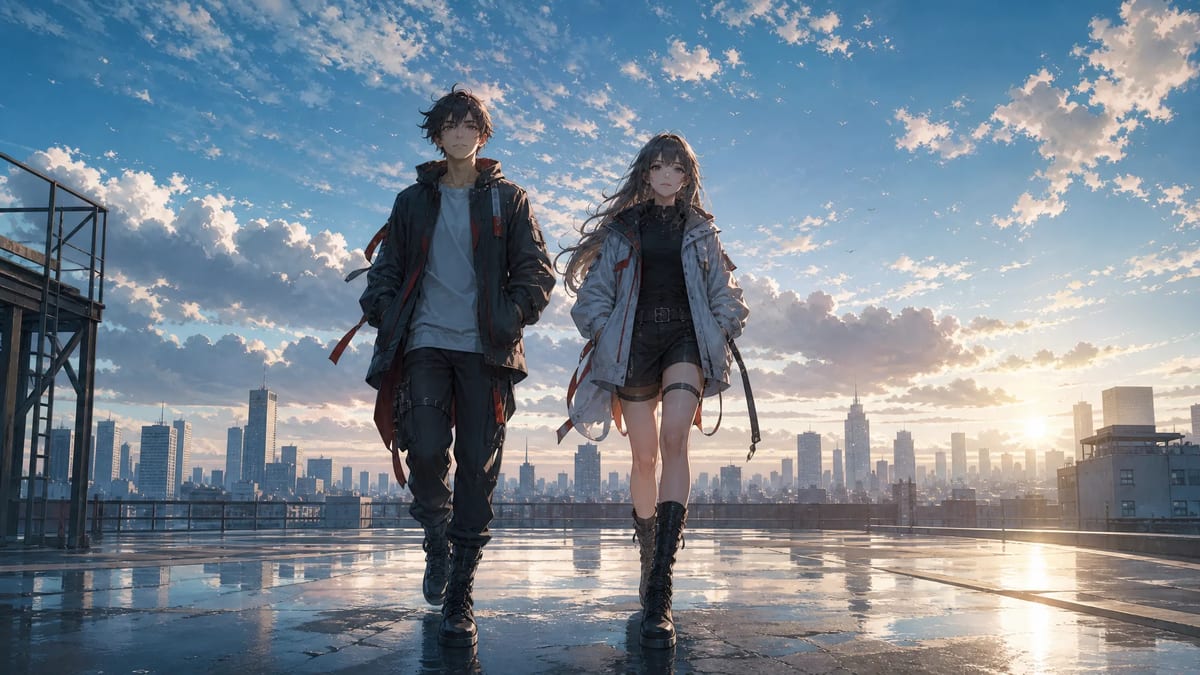
An opening has a different job from an episode. It does not tell a story; it promises one. Four elements do most of that work:
- Cast entrances. Each main character gets one short shot that shows who they are: a look, a pose, a signature item.
- The world. One or two wide shots establish the place and the genre: a city skyline, a school rooftop, a ship deck.
- Rhythm. Calm shots and fast shots alternate, and the cuts land on the beat of the music.
- The title card. The show's name appears once, usually after the first build-up or at the very end, on a clean image that leaves room for the text.
If your sequence has those four things, it reads as an opening even when it is short.
Decide the length before you plan any shots, because the length sets the number of shots.
| Length | Use it for | Rough shot count |
|---|
| 15 seconds | Social teaser, channel intro | 3 to 5 |
| 30 seconds | Short series, cold open | 6 to 10 |
| 60 to 90 seconds | Full TV-style opening | 15 to 30 |
Then choose the music. MkAnime does not generate a full opening song. Use a track you made or one you have the rights to use. Count its sections: intro, verse, build, chorus, and outro. Those sections become the blocks of your shot plan.
List the beats in the order of the song before you open any tool. Here is a 30-second example for an original series about two couriers in a rainy city:
| Time | Music | Beat | Shot |
|---|
| 0 to 4 s | Quiet intro | The world | Wide shot of the city at dawn |
| 4 to 8 s | Intro | Lead entrance | Medium shot: the girl turns to the camera |
| 8 to 12 s | Verse | Second lead | Medium shot: the boy on a rooftop, wind in his jacket |
| 12 to 18 s | Build | Rival or threat | Close-up of a mysterious figure, then a fast cut to rain |
| 18 to 24 s | Chorus | Action | The two leads running side by side |
| 24 to 30 s | Outro | Title card | Wide shot with empty sky for the title |
A few rules keep the sheet useful:
- One beat per shot. If a shot has to introduce a character and show a fight, split it.
- Leave space for the title. The title shot needs clean sky, wall, or background where text can sit.
- Plan one strong repeat. Many openings return to an early image at the end with a change, such as the same rooftop at night.
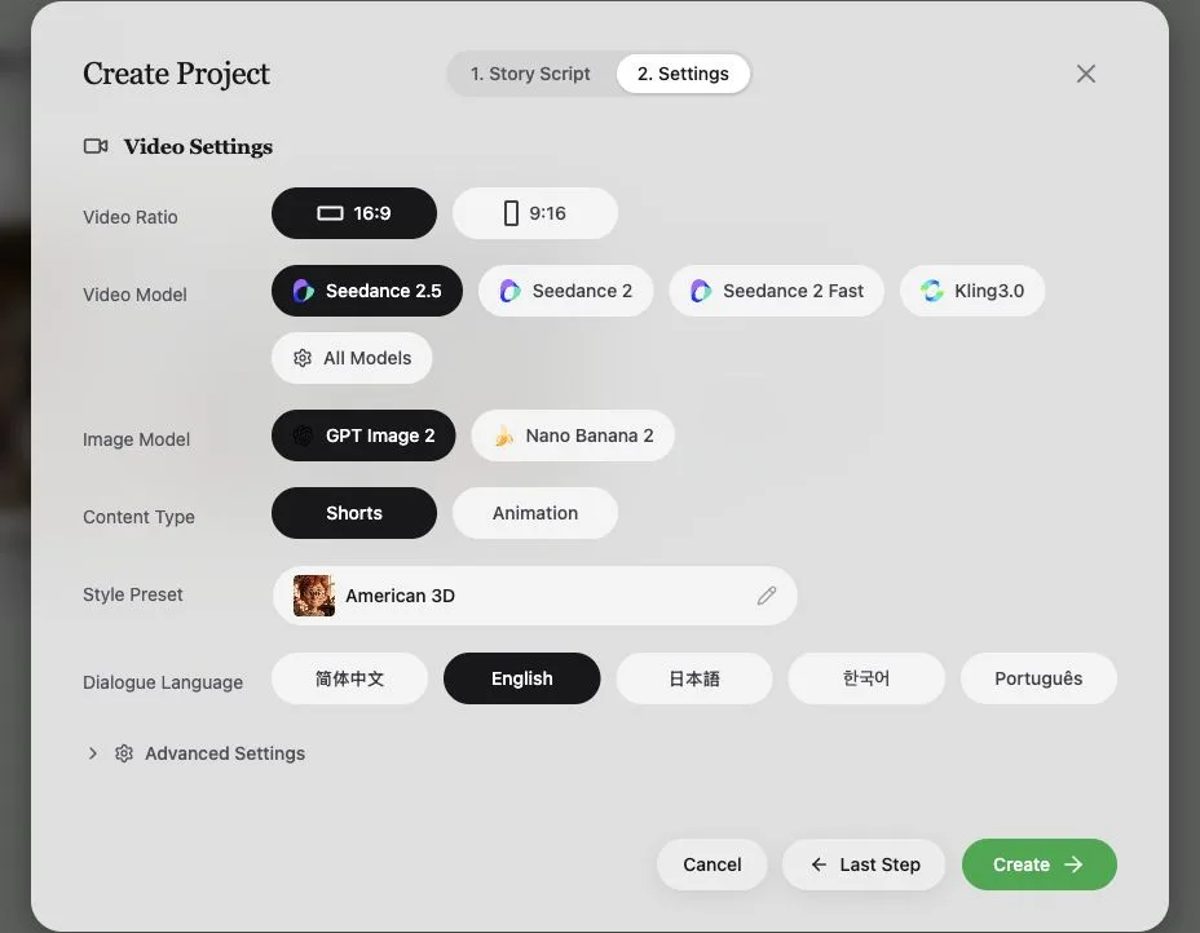
The AI anime opening maker starts a project with the same workflow used for episodes. In the project settings you choose:
- Video ratio: 16:9 for YouTube and TV-style openings, 9:16 for Shorts, Reels, and TikTok.
- Style preset: the shared look for every shot.
- Image and video model: the image model draws the first frames; the video model animates them.
- Content type and length: Animation projects offer 30-, 60-, 90-, or 120-second episodes.
In the story description, describe the opening instead of a plot: name the characters, describe the world and the mood, and paste your beat sheet. MkAnime drafts the characters, scenes, and storyboard from that description.
Lock the characters before you generate shots. Give each one a fixed description (hair, outfit, one signature item) and approve their reference images. Consistent faces matter more in an opening than anywhere else, because each character appears for only a few seconds. The consistent character guide explains how.
Step 4: Shape the storyboard to the beats
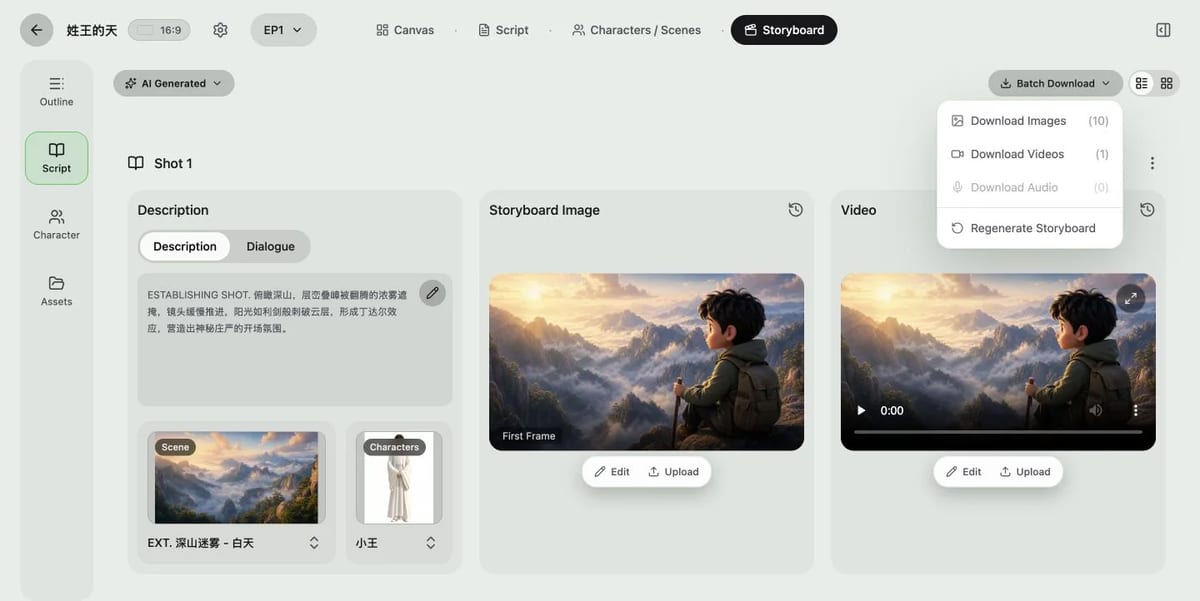
The storyboard turns your description into shots. Each shot has a description, the characters and scene in it, a first frame, an optional last frame, and a video slot.
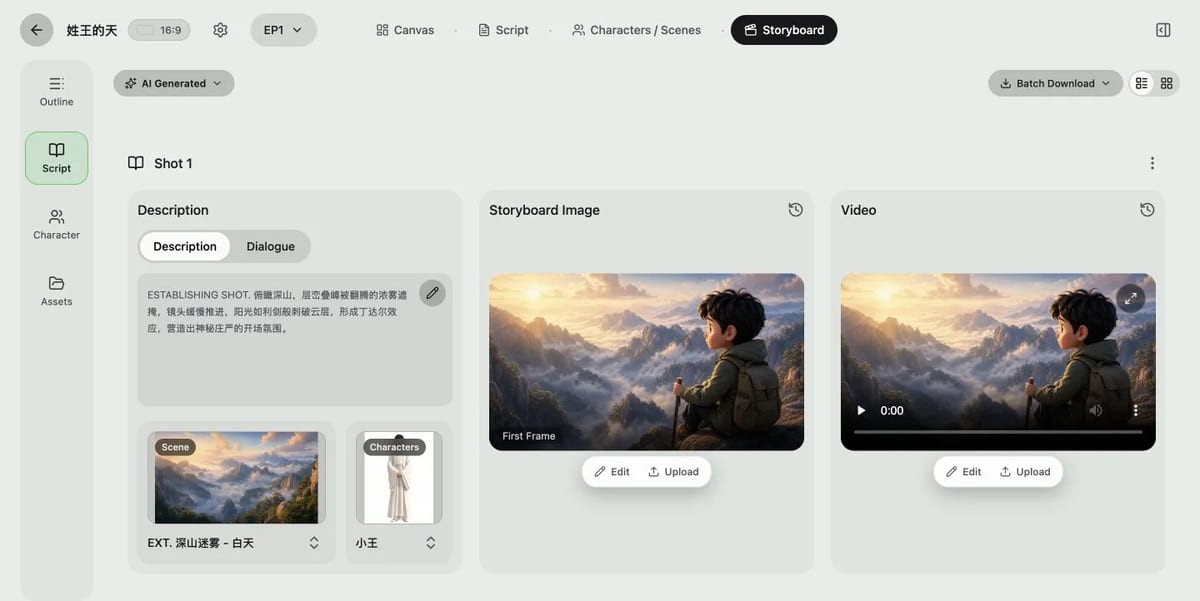
One setting needs attention for openings. The planner sets the default number of shots from the video model's clip length: Seedance 2.5 plans 30-second clips, while Seedance 2, Seedance 2 Fast, and Kling3.0 plan 15-second clips. A 30-second opening can therefore start with only one or two shots, while your beat sheet needs six or more. Insert and duplicate shots until the list matches your beats, and set each shot's duration in the video settings (Seedance 2.5 offers 5, 10, 15, or 30 seconds; the other models 5, 10, or 15). You can trim the clips to the exact beat later in your editor.
Then check the order in the grid view:
- Does every main character get an entrance?
- Do wide and close shots alternate?
- Does the title shot leave space for text?
Generate in layers:
- First frames. Approve the composition, the faces, and the lighting before you animate anything.
- Last frames where the ending matters. Use one for the title shot, so the clip ends on the exact clean image you planned.
- Video. Write one camera move and one main action per shot. "Slow push-in as she turns to the camera, hair moving in the wind" works better than a list of effects.
Test three shots first: one character close-up, one action shot, and the title shot. If they look like the same show, start a batch run for the rest from the AI Generated menu. The storyboard image-to-video guide covers motion prompts and continuity between shots in more detail.
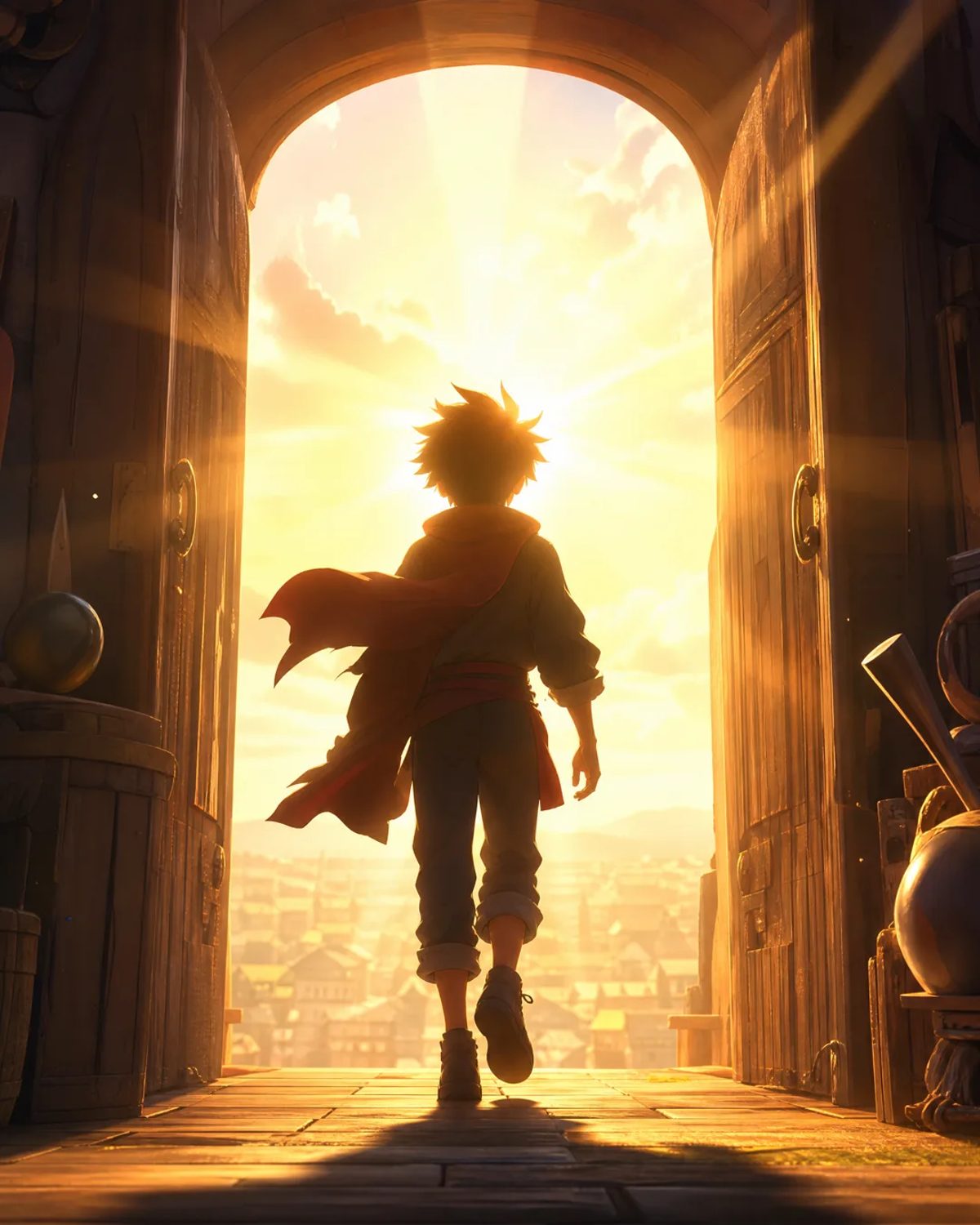
Generate the title shot without the title text. Text that a video or image model draws inside the frame often comes out misspelled or distorted. Instead:
- Generate a clean background: sky, wall, skyline, or a character pose with empty space.
- Add the title in your editor as a text layer, with the font and logo you want.
- Animate it there with a simple fade, scale, or wipe on the strongest beat of the song.
The same applies to credits. Add them in the editor, where you can fix the spelling.
MkAnime exports the images, videos, and audio of a project as separate ZIP files from the Batch Download menu. It does not compile a finished opening.
In your editor:
- Put the song on the timeline and mark its sections.
- Place the clips in beat-sheet order and trim each cut to a beat.
- Mute the generated audio, unless a sound effect helps a hit.
- Add the title card and credits.
- Export at the ratio you chose in Step 3.
- No song. There is no music generator for a full opening theme. Bring your own track. Seedance 2.5 can generate sound with a clip, but that is per shot, not a song across the sequence.
- No beat sync. Shots are not cut to the music automatically. You trim them in an editor.
- No compiled export. Images, videos, and audio download as separate ZIPs.
- No reliable on-screen text. Add the title, credits, and lyrics in your editor.
- No lyrics or singing timed to the video.
Build openings for your own characters and stories. Do not use the tools to recreate an existing anime opening, its characters, or its song.
Usually, yes. Both mean the title sequence before the story starts. "Opening" is the common term for TV anime; "intro" is often used for short channel or video intros.
TV openings run about 90 seconds. For a fan series or a social video, 15 to 60 seconds is enough. Choose the length first, because it decides how many shots you need.
Not all of it. MkAnime can draft the shots, keep characters consistent, and generate the clips. You still choose the song, cut the clips to the music, and add the title in an editor.
You can generate the background and the character art for it. Add the title text in your editor, because text drawn by the model can be misspelled.
Yes. Choose the 9:16 ratio when you create the project, before the storyboard is drawn. The AI anime shorts guide covers vertical framing.
Generating images and video follows the current sign-in and credit rules. Check the pricing page before you start.
