
Back to blog
Aug 2, 2026
6 Best AI Anime Character Generators for Design (2026)
Compare 6 AI anime character generators for full-body design, reference sheets, and character consistency, plus usage rights. Updated August 2026.
Aug 2, 2026
Compare 6 AI anime character generators for full-body design, reference sheets, and character consistency, plus usage rights. Updated August 2026.
A transparent workflow comparison for choosing the right character asset—not a collection of unrelated showcase images.
By Sonya, Contributor of MkAnime · Published August 2, 2026
Disclosure: Sonya contributes to MkAnime, one of the products compared below. This edition compares documented workflows and the current MkAnime implementation. It does not claim a hands-on image-quality benchmark of every third-party product. AI assistance was used to organize and edit the article. External product facts were checked against official pages on August 2, 2026.
The best AI anime character generator depends on the asset you need. MkAnime is a direct fit for generating a full-body character and separate three-view reference sheet together. PixAI’s Mio.2 documents conversational creation of anime assets and reference sheets. KomikoAI offers an OC Maker and Character Sheet Generator inside a broader anime toolkit. Adobe Firefly supports reference-guided generation inside a larger editing ecosystem. NovelAI provides anime-focused tag and settings control. OC Maker AI provides a guided appearance form.
This guide compares those workflow shapes. It does not assign output-quality scores without running the same original brief through every candidate.
Want to generate a character now instead of comparing tools? Open the MkAnime AI anime character generator: describe the character in words, choose a style, and get a 3:4 full-body design plus a 16:9 front, three-quarter, and side reference sheet. You need to be signed in, and each generation uses credits.
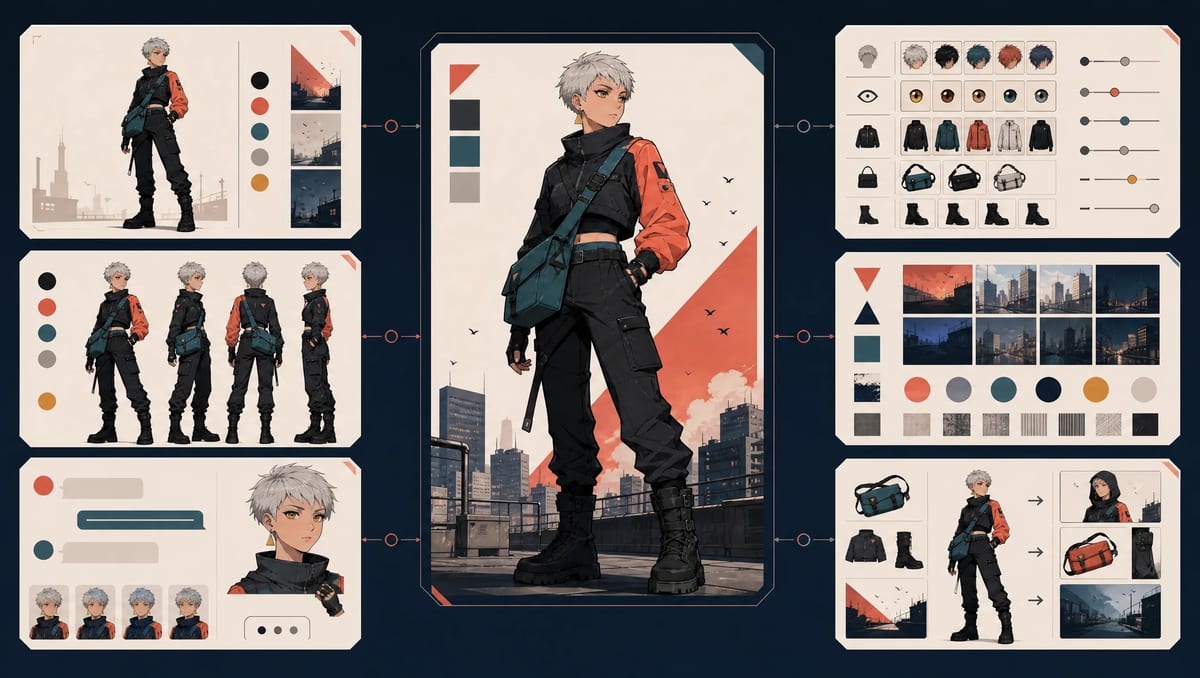
Overview of six documented workflow shapes for full-body design and character-reference work.
| Tool | Best documented fit | Input approach | Character-sheet path | Evidence level |
|---|---|---|---|---|
| MkAnime | Full-body design plus multi-view review | Text brief, name, selected style | Separate three-view sheet in same generation | Current implementation reviewed |
| PixAI / Mio.2 | Conversational anime asset exploration | Prompt and follow-up requests | Mio.2 page lists reference sheets | Official docs reviewed |
| KomikoAI | Character creation inside anime/comic toolkit | Separate focused tools | AI Character Sheet Generator listed | Official site reviewed |
| Adobe Firefly | Reference-guided generation and editing ecosystem | Text, style, composition, and image references | Manual sheet task to verify | Official product page reviewed |
| NovelAI | Anime-focused tags and technical settings | Tags or natural language | Deliberate prompting/selection required | Official docs reviewed |
| OC Maker AI | Guided OC appearance customization | Structured fields and optional reference | View count/output format to verify | Official site reviewed |
Last documentation check: August 2, 2026. Product availability, models, credits, pricing, and terms can change. Recheck the official sources before choosing a plan or using an output commercially.
The product must provide a public workflow for creating an original anime-style character from text, tags, structured fields, or a reference image.
This guide focuses on static character-design assets:
It does not rank:
Use the broader AI anime generator comparison when your deliverable includes story, video, audio, or an end-to-end production workflow.
For a repeatable testing method instead of a product ranking, use the seven-test AI anime generator scorecard.
A portrait is useful for face exploration, expressions, profile art, and mood. It may hide body proportions, shoes, equipment, and garment construction.
A full-body asset should show the entire figure from head to toe, including hands, feet, props, and the outer silhouette. It helps you inspect body proportions and clothing.
A reference sheet reveals how the design works from front, three-quarter, and side angles. Generated sheets still require review for face, hair, outfit, and color agreement.
Some creators need reference-image input, local editing, version comparison, or a conversational correction loop more than a predefined sheet.
Comic, game, and serialized-story workflows may need saved characters, expressions, sprites, and later scene generation. Verify how a product stores and reuses the character.
The strongest tool is the one that reduces the manual gap for the required asset.
Best documented fit: a full-body character and separate three-view sheet from one focused request.
The MkAnime AI anime character creator currently provides this workflow:
The statements above were reviewed against the current public MkAnime workflow and product copy on August 2, 2026. No comparative quality score is assigned without a dated, controlled output test.
Best documented fit: conversational anime asset exploration, including several character-asset types.
PixAI’s official documentation describes an anime and illustration platform that can generate original characters, edit images, reuse community setups, and work with community models and LoRAs.
The Mio.2 anime agent says it can produce original character designs, game assets, sprites, and reference sheets, followed by conversational revisions.
Official PixAI documentation and Mio.2 product page checked August 2, 2026. We did not assign image-quality or consistency scores.
Best documented fit: character creation inside a broader anime, comic, and animation toolkit.
KomikoAI’s official site lists:
Official KomikoAI tool listing checked August 2, 2026. The presence of several tools does not prove cross-tool identity consistency, so the comparison does not claim it.
Best documented fit: reference-guided character generation that can continue inside a broad creative-editing ecosystem.
Adobe Firefly’s official anime generator page describes:
Adobe states that Firefly models are trained on licensed and public-domain content and positions Firefly-model outputs for commercial use. The Firefly interface can also provide partner models; users should identify the selected model and review the applicable terms.
Official Adobe anime-generator page checked August 2, 2026. A dedicated one-request three-view reference-sheet bundle was not confirmed on the page reviewed.
Best documented fit: anime-focused generation with tag-based character control and technical settings.
NovelAI’s official image-generation documentation describes:
Official NovelAI documentation checked August 2, 2026. A dedicated full-body-plus-three-view bundle is not claimed in this guide.
Best documented fit: structured appearance fields for creators who prefer a guided form.
OC Maker AI’s official page presents fields for:
The page positions the product around anime and manga OCs for stories, games, and art projects.
Official product page checked August 2, 2026. Marketing claims about professional quality, speed, and consistency are not treated as measured results here.
Official product pages can establish:
They cannot establish which product renders your character best. Run one controlled test before drawing quality conclusions.
Use the same original character for every candidate.
Mara Vale, young adult rooftop courier, compact athletic build, cropped silver hair, amber eyes, short charcoal weatherproof jacket with one coral left sleeve, teal cross-body satchel, triangular amber earring on the left ear, fitted dark utility trousers, heavy black ankle boots.

Complete full body visible from head to toe, both feet inside the frame, neutral standing pose, clean cel-shaded anime direction, crisp readable garment boundaries, plain warm-gray background.

Keep the cropped silver hair silhouette, coral left sleeve, teal satchel, and one left-ear earring visible. Avoid long coat, scarf, skirt, high heels, helmets, extra jewelry, scenery, and cropped feet.
Use the anime character prompt template if you want to adapt the benchmark to another original design.
Request two deliverables:
If a tool does not offer a dedicated sheet workflow, document every prompt conversion and manual assembly step.
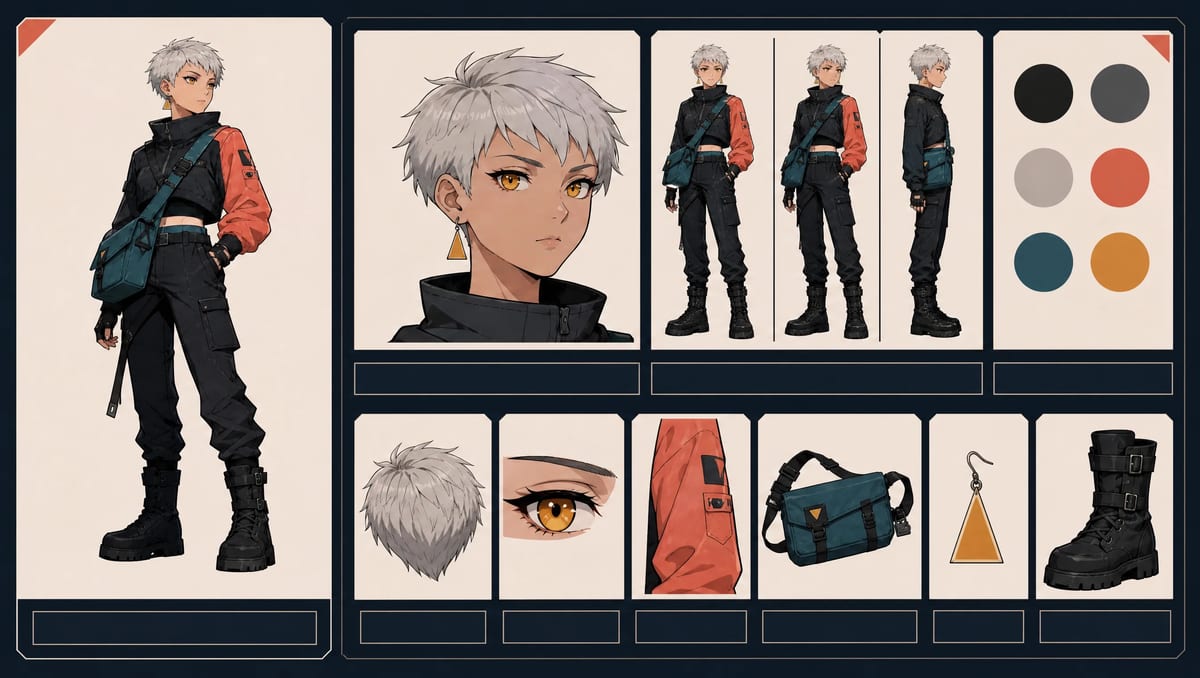
Shared benchmark brief for comparing character workflows with the same design requirements.
| Field | What to record |
|---|---|
| Test date | Exact date and time window |
| Product and plan | Product name and account tier |
| Model or mode | Selected model, preset, style, or workflow |
| Inputs | Prompt, tags, reference files, ratio, output request |
| Attempts | Initial generation and retries |
| Manual work | Prompt conversion, editing, compositing, cropping, background removal |
| Downloads | File type, dimensions, watermark, metadata |
| Limits | Queue, credits, unavailable controls, account restrictions |
| Official sources | Pricing, privacy, and usage pages checked that day |
| Evidence | Successful and failed outputs, screenshots, notes |
Keep failed outputs. A gallery containing only the best image hides the correction cost.
Use a 0–3 scale:
| Test | Weight | What to inspect |
|---|---|---|
| Prompt adherence | 15% | role, age, build, hair, outfit, palette, item |
| Full-body completeness | 15% | head, hands, legs, feet, props, framing |
| Identity agreement across views | 20% | face, hair, build, outfit, color placement |
| Signature-detail retention | 15% | sleeve, satchel, earring, boots |
| Style and revision control | 10% | ability to isolate one change |
| Workflow and downloads | 10% | history, versions, output organization |
| Practical limits and terms | 15% | resolution, credits, watermark, official documentation |
Lock the weights before testing. Do not change them after seeing which product wins.
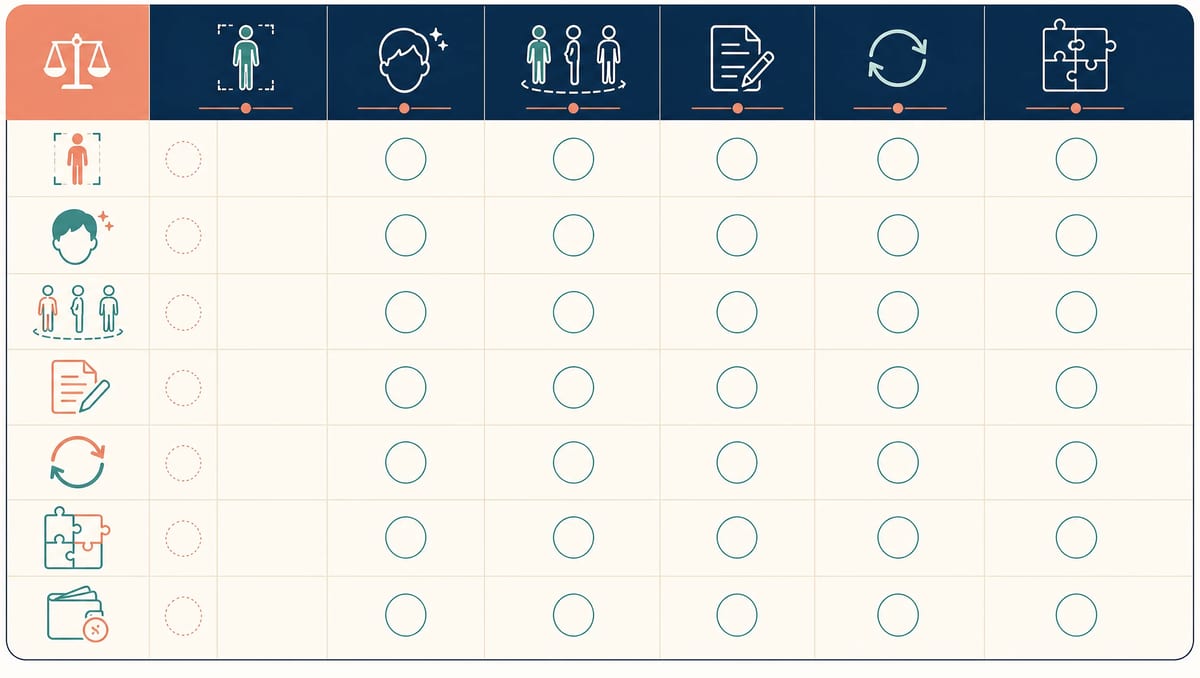
Blank scorecard for recording results from your own controlled full-body and multi-view test.
An avatar maker commonly assembles a character from predefined components. This can provide repeatability and direct control, although the available visual space is limited to the supplied parts.
An AI character generator interprets text, tags, references, or fields to create a new image. It can explore more visual possibilities, but results may vary between attempts and angles.
Choose an avatar maker for exact part selection. Choose an AI generator for open-ended concept exploration and stylized output. Verify the export and rights of either tool before production use.
For a worked example of the prompt-based route, the AI waifu generator guide shows how to describe an original, safe-for-work anime woman in words and keep that description stable between generations.
MkAnime publishes this comparison and is one of the products discussed, which is why the relationship is disclosed at the beginning of the article.
The current character creator has one clear workflow advantage that can be verified locally: a generation is designed to return two coordinated asset types—a 3:4 full-body character and a separate 16:9 front/three-quarter/side sheet.
That does not establish the highest image quality or best fit for every creator. Adobe Firefly may be a stronger fit for an Adobe-centered editing workflow. PixAI/Mio.2 may suit conversational multi-asset exploration. KomikoAI may suit a broader comic toolkit. NovelAI may suit detailed anime tag control. OC Maker AI may suit form-based ideation.
Run the benchmark before making a quality claim.
The best option depends on the final asset. Use a dedicated character bundle for full-body and multi-view output, an anime asset agent for conversational iteration, a broad suite for editing, or an anime-focused generator for tag and setting control.
Several image generators can respond to a full-body prompt. MkAnime specifically returns a 3:4 full-body character as part of its current bundle. Inspect the actual output for complete feet, hands, props, and silhouette.
Yes. Some products provide a dedicated character-sheet workflow or explicitly document reference-sheet creation. Others require a multi-view prompt, separate generations, and manual assembly. Always compare identity and outfit agreement across views.
Usage depends on the provider, selected model, plan, input sources, and jurisdiction. Read the current official terms for the exact workflow used. Keep generation dates, prompts, references, outputs, and editing records.
An avatar maker usually combines predefined parts. An AI character creator interprets text, tags, references, or structured fields to produce a new image. The AI workflow provides broader exploration with more variation.
This is a documentation-based workflow comparison, not a controlled image-quality ranking. External product facts were checked on August 2, 2026. Product features, plans, credits, and terms can change, so confirm time-sensitive details on each provider's official pages. For your own output test, record the date, plan, model, inputs, retries, manual work, raw outputs, and scoring weights.
Choose an AI anime character generator by the character asset and correction loop you need. Use official documentation to build a shortlist, then run the same original brief and retain successful and failed outputs.
Workflow claims identify what to test. Controlled evidence identifies which product fits your character.
Sonya is a contributor to MkAnime and works on content research, product communication, and practical AI-anime production workflows.
From inspiration to complete plot, quickly output chapter structure