
Back to blog
Sep 30, 2026
AI Waifu Generator: Design an Original Anime Waifu From a Prompt
Use an AI waifu generator to design an original, safe-for-work anime waifu from a text brief: face, hair, outfit, style, and the right aspect ratio.
Sep 30, 2026
Use an AI waifu generator to design an original, safe-for-work anime waifu from a text brief: face, hair, outfit, style, and the right aspect ratio.
"Waifu" is fan slang for a female anime character someone is especially fond of. An AI waifu generator lets you design that character yourself: you describe her face, hair, outfit, and mood, and the model draws a new anime woman who did not exist before.
Many waifu creators online are random generators or dress-up builders. Random generators give you a different face every click; builders assemble a character from a fixed parts library. A prompt-based generator sits in between. You decide what she looks like in words, and you can keep those words stable when you want her again.
This guide shows how to do that with the MkAnime AI anime image generator: which inputs matter, how to write a waifu prompt that stays readable, and when to move to the anime character creator for a full-body design and reference sheet.
This guide is for safe-for-work character art: portraits, full-body designs, and everyday scenes you could post on a public profile or a fan page.
Explicit or sexual requests are outside what this guide covers. The model's safety checks can reject them, and the generation fails instead of returning an image.
The image generator has four inputs:
There is no photo or reference-image upload. You cannot turn a picture of a real person into a waifu; everything comes from the text prompt and the style you pick.
Describe what can be seen, in a fixed order. Personality only helps when it becomes something visible, such as a pose or an expression.
Example prompt
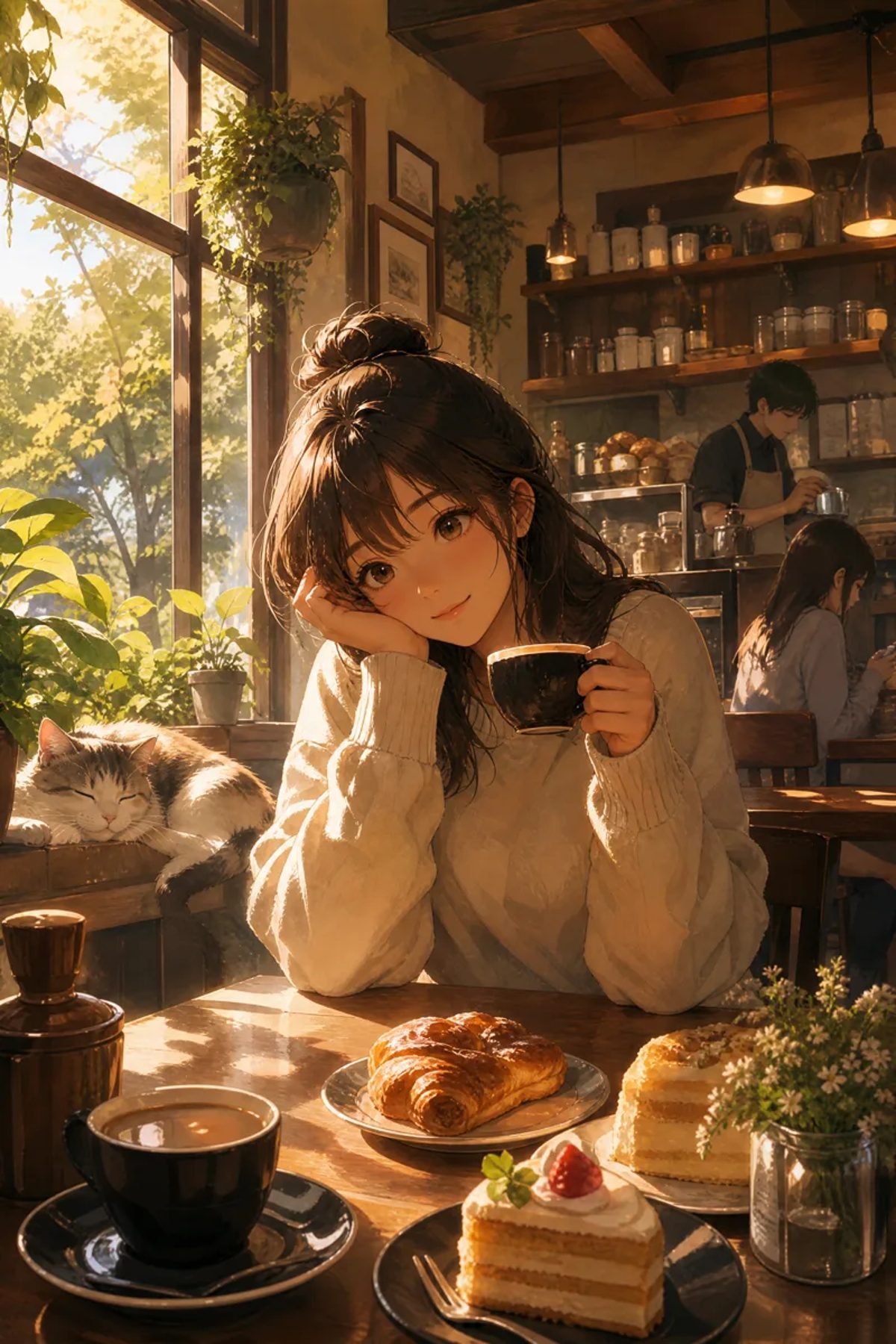
A woman in her mid-twenties who works at a neighborhood cafe. Soft oval face, warm brown eyes, relaxed smile. Long dark brown hair tied in a loose messy bun with a few strands framing her face. Oversized cream knit sweater, simple silver hoop earrings. Sitting at a wooden table by a large window, resting her cheek on one hand and holding a coffee cup in the other. Croissant and strawberry cake on the table, a cat sleeping on the windowsill. Warm late-afternoon sunlight, cozy slice-of-life mood.
Choose 3:4 or 9:16 for a vertical image, pick a style, and generate.
A random waifu generator gives you a new character every time. If you want the same one again, treat your prompt as her character sheet:
The anime character prompt template breaks this into nine fixed parts if you want a stricter brief, and the consistent character guide covers keeping her recognizable across a series of shots.
The anime character creator returns a 3:4 full-body image plus a 16:9 front, three-quarter, and side reference sheet from one brief. Use it when you want to see her from several angles, for example before putting her into a comic or an animated short. For a single portrait, wallpaper, or scene, the image generator is the faster route.
Related guides:
It is an AI image tool that draws a female anime character from your description. With MkAnime you write a text prompt, pick a style, an aspect ratio, and a resolution, and the model draws an original character.
Keep the sentences for her age, face, hair, and signature item identical in every prompt and change one detail at a time. For a multi-angle reference, use the anime character creator.
No. The image generator works from a text prompt, a style, an aspect ratio, and a resolution. There is no photo or reference-image upload.
No. This guide covers safe-for-work character art, and the model's safety checks can reject explicit requests.
Generation follows the current sign-in and account credit rules. Check the live pricing page before you start.
From inspiration to complete plot, quickly output chapter structure