
Back to blog
Jul 31, 2026
How to Evaluate an AI Anime Generator: A 7-Test Scorecard
Evaluate an AI anime generator with a seven-test scorecard for consistency, workflow, editing, references, difficult shots, audio, and export.
Jul 31, 2026
Evaluate an AI anime generator with a seven-test scorecard for consistency, workflow, editing, references, difficult shots, audio, and export.
A repeatable benchmark for testing tools with the same scene, evidence log, and production requirements.
By Sonya, Contributor of MkAnime · Published July 31, 2026 · Updated August 2, 2026
Disclosure: MkAnime publishes this guide and is one of the workflow products readers may evaluate. AI assistance was used to organize and edit the article. The benchmark design, product descriptions, and MkAnime claims were reviewed against the current implementation on July 31, 2026.
Evaluate each AI anime generator against the deliverable you need and the problems you must be able to correct. An image generator may be the most direct choice for a portrait. A clip generator may suit creators who already have keyframes. A connected workflow becomes more relevant when a project has recurring characters, ordered shots, dialogue, and assets that must stay organized.
Before paying for a plan, run the same small anime scene through every candidate and score seven areas:
The benchmark matters more than a single showcase image because production quality includes revision, continuity, and delivery.
Write down what you need at the end of the project before comparing feature lists.
| Project goal | Capabilities to prioritize | Commonly suitable tool shape |
|---|---|---|
| One anime portrait or poster | Style control, prompt adherence, editing, resolution | Image generator |
| Character reference sheet | Full-body design, multi-view agreement, downloadable references | Character-design tool |
| One short motion clip | Motion quality, duration, camera control, first/last frame | Clip generator |
| Multi-shot anime scene | Character continuity, storyboard, per-shot revision, reference reuse | Connected workflow |
| Dialogue-heavy short | Voice identity, line-level audio, shot/audio organization, lip-sync verification | Workflow plus audio tools |
| Assets for external editing | Predictable filenames, image/clip/audio downloads, ratio and resolution options | Modular or connected pipeline |
A product can span more than one category. Evaluate what remains connected after the first output and what must be rebuilt or transferred manually.
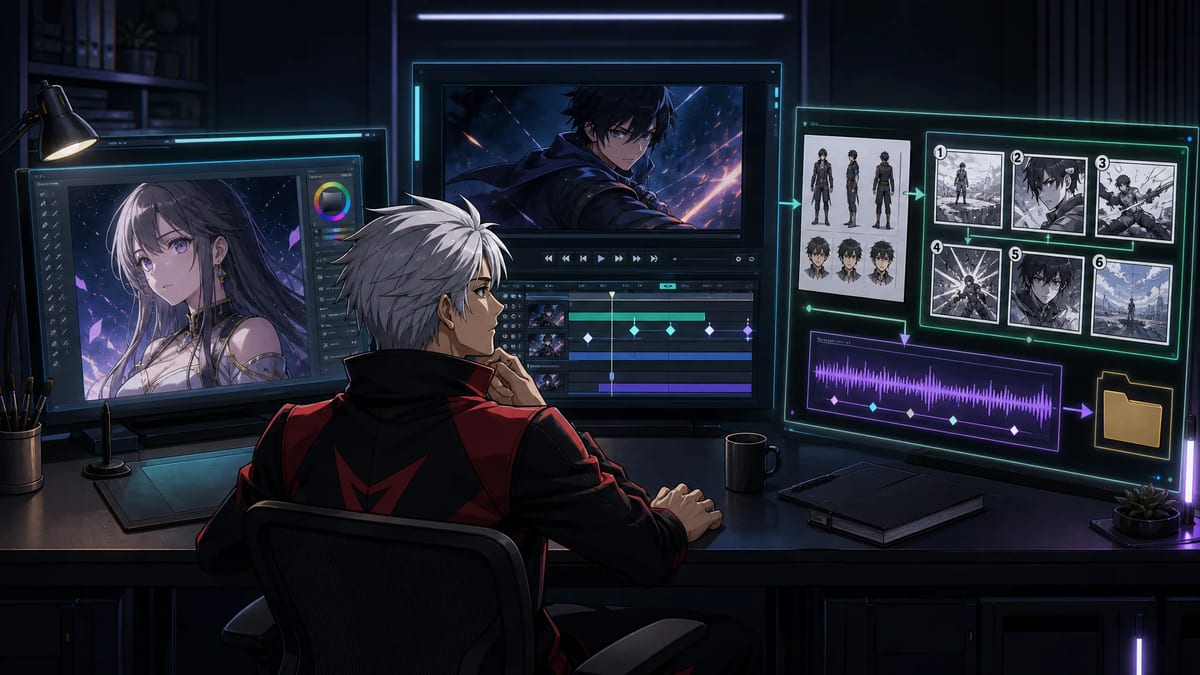
The three tool types used in this benchmark: image-focused, clip-focused, and connected production workflows.
These are usually the most direct option for character art, covers, posters, concept exploration, and individual keyframes.
Evaluate:
These tools generate or animate an individual shot.
Evaluate:
These products organize several stages of a project.
Evaluate:
The current MkAnime AI anime generator comparison reviews specific products. This guide focuses on the method you can use to reach your own conclusion.
Use a small scene that includes the production problems your real project will face.
Ren, a rookie sky courier, reaches a locked subway platform during a storm. The package in his bag knocks from the inside. He says one line, opens the bag, and must decide whether to board the last train.
Require every tool to handle the same inputs and intended output:
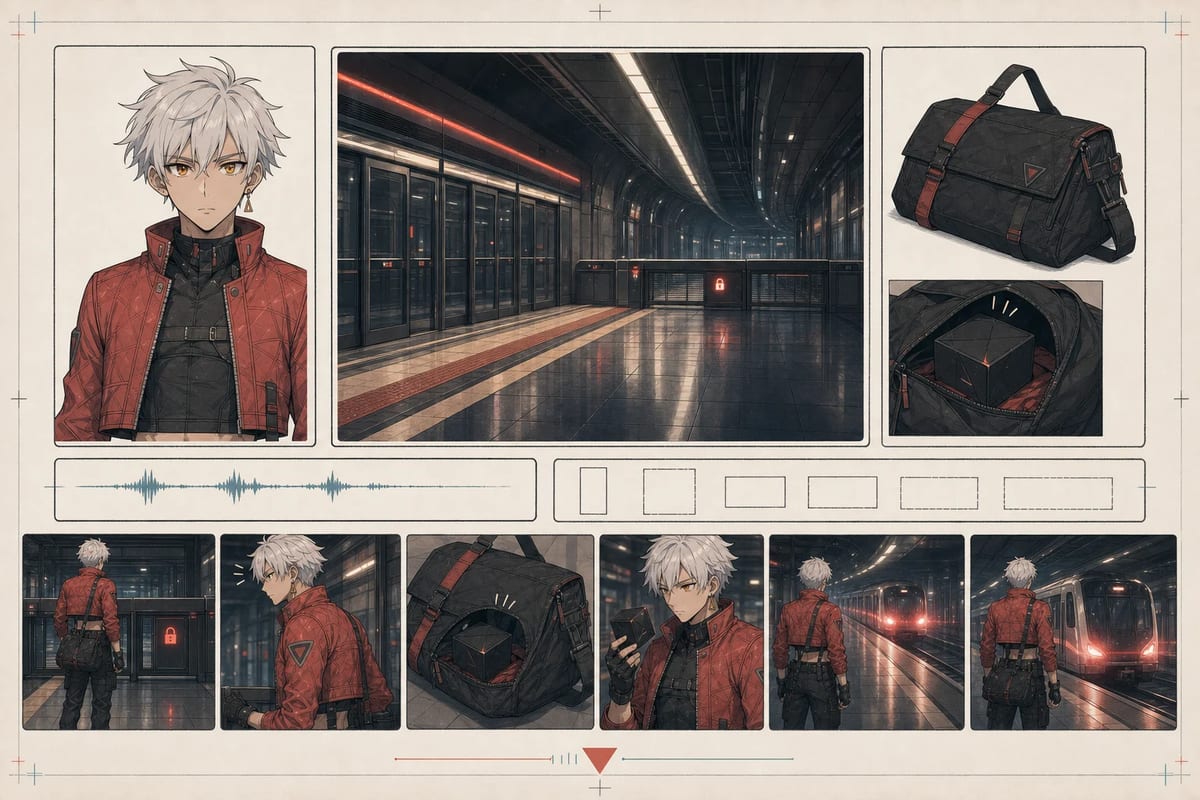
AI-generated conceptual benchmark card for the shared test scene.
Record the conditions that can change the result:
| Field | What to record |
|---|---|
| Test date | Exact date |
| Product and plan | Product name and free/paid tier |
| Model or mode | Selected generation model, preset, or workflow |
| Inputs | Prompt, script, reference files, ratio |
| Attempts | Total generations and retries |
| Manual work | Editing, file transfer, naming, compositing, or correction outside the tool |
| Outputs | Images, clips, audio, subtitles, project data, final video |
| Limits | Watermark, resolution, duration, queue, credits, or unavailable controls |
| Evidence | Screenshots, exported files, and notes for both successful and failed attempts |
Use current official product pages to verify plan limits, pricing, privacy, and commercial-use terms. These details change too often to assume that an older review remains accurate.
Use the same meaning for every test:
A score of 3 describes the tested project, plan, and date. It is not a permanent product guarantee.
Generate the recurring character in:
Compare:
Award the highest score only when the character remains recognizable and the workflow provides a practical way to correct a drifted shot. The guide to AI anime character consistency contains a detailed three-shot review table.
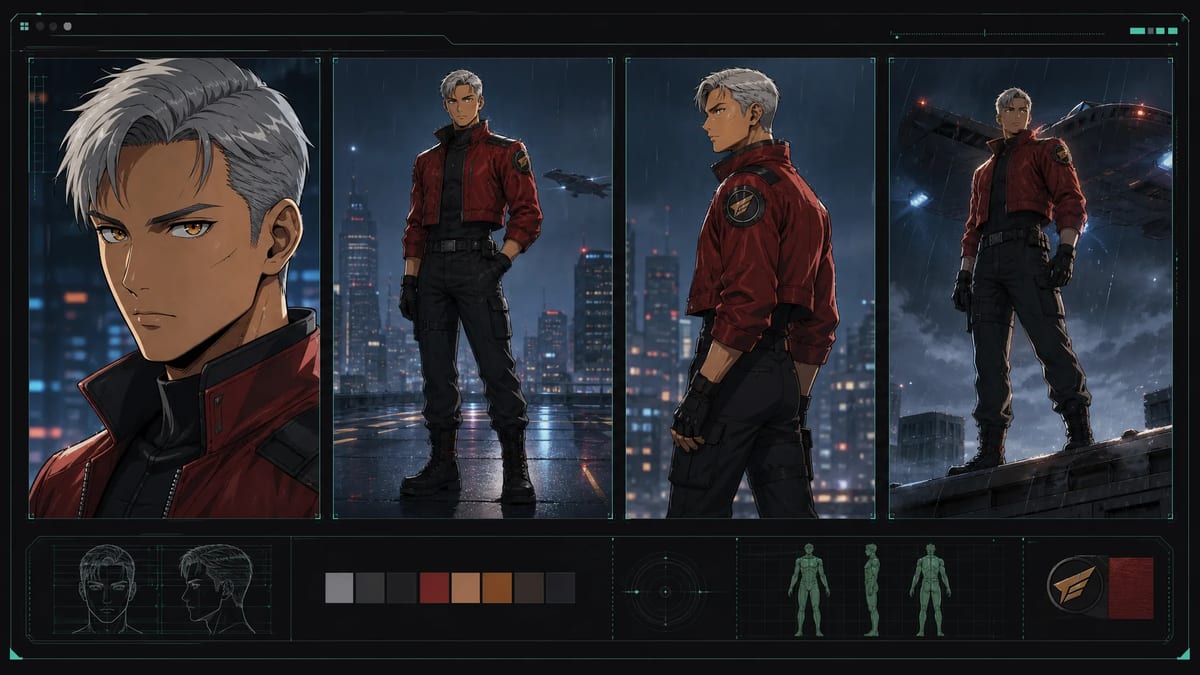
A four-shot consistency check keeps the identity anchors stable while framing and pose change.
Check whether the tool can keep a sequence organized beyond individual prompts.
Ask:
A separate planning document is a valid choice for a modular pipeline. Count the transfer and synchronization work in the benchmark.
Use the AI anime storyboard generator when you want to compare MkAnime’s connected script-to-shot approach with another workflow.
After the first pass, change the framing of shot four.
Measure:
AI generation will fail occasionally. A product’s recovery path is part of its quality.
Create or upload one character reference and one location reference.
Check whether the workflow:
An upload button demonstrates that a reference can enter the product. The sequence test shows whether reference context remains useful through later steps.
If you need a focused character asset first, the MkAnime AI anime character creator produces a full-body image and three-view reference sheet that can be inspected and downloaded. The other single-purpose tools (script, image, voice, dubbing, and video generation) are listed together in the MkAnime anime tools hub, which is a faster way to test one step before committing to a full project workflow.
For a narrower comparison of tools built around full-body designs and reference sheets, see the AI anime character generator comparison.
Choose one shot that may fail:
Evaluate both the initial result and the correction loop:
Keep at least one failed result in the evidence log. A comparison made only from successful showcase outputs hides the cost of recovery.
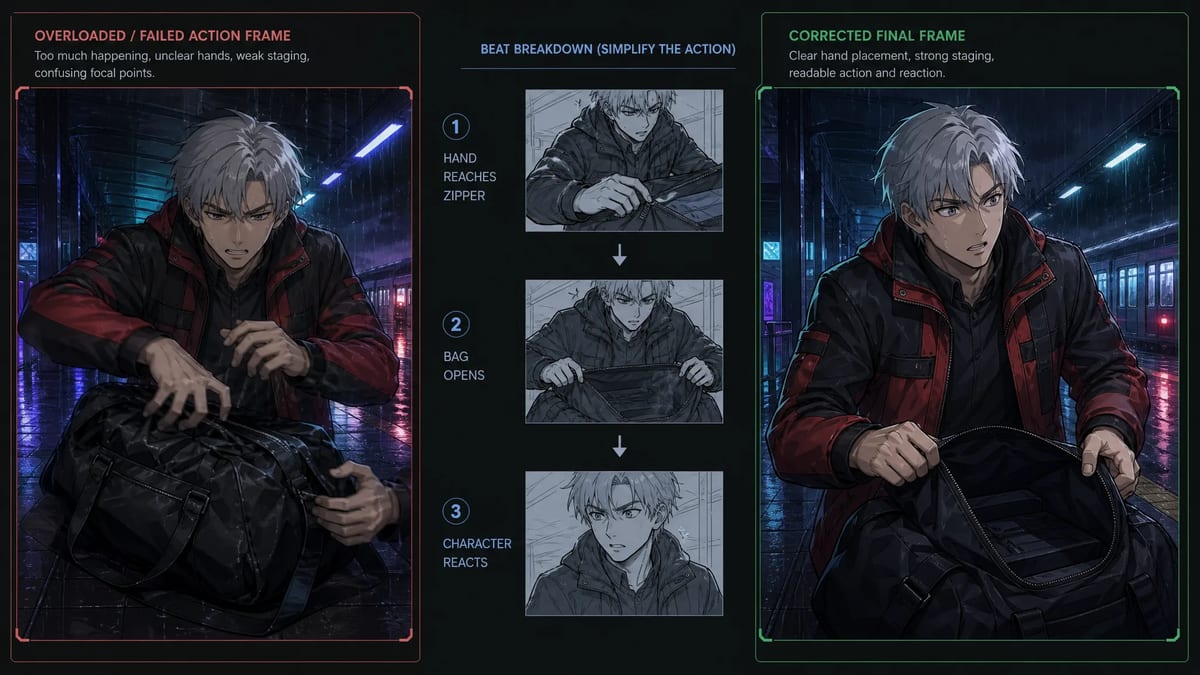
A difficult action becomes easier to evaluate after it is split into smaller visual beats and rebuilt with clearer staging.
For a dialogue project, test one line from input to downloadable or previewable audio.
Check:
Text-to-speech does not automatically demonstrate lip synchronization. Test the exact feature your project requires.
List every file available at the end of the benchmark.
Possible outputs include:
Confirm:
“Export” may describe a downloadable group of production assets or a finished timeline. Record the exact result.
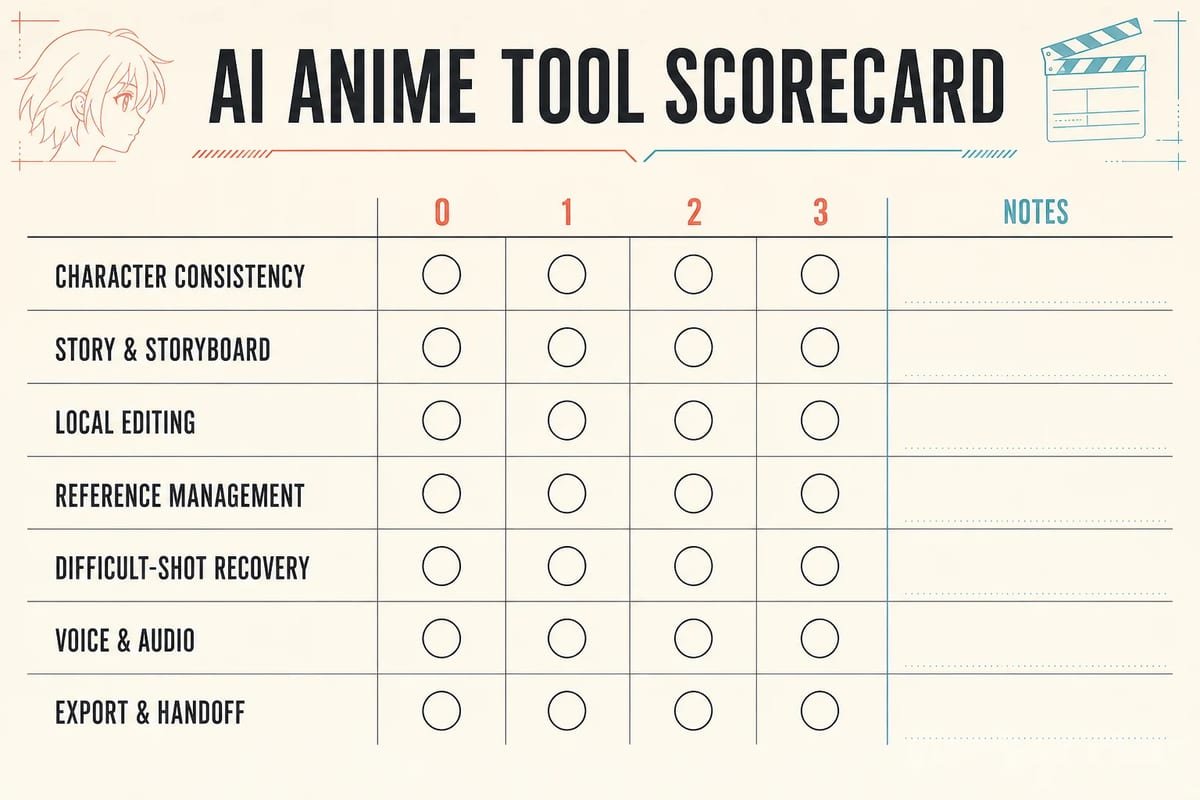
AI-generated blank scorecard. Fill each row only after completing the corresponding test.
Not every category matters equally to every project. Assign a weight from 1 to 3 before testing:
| Test | Score 0–3 | Weight 1–3 | Weighted score | Evidence note |
|---|---|---|---|---|
| Character consistency | ||||
| Story/storyboard workflow | ||||
| Local editing | ||||
| Reference management | ||||
| Difficult-shot recovery | ||||
| Voice/audio | ||||
| Export/handoff |
Calculate each weighted score as:
Category score × category weight
Compare totals only when the products use the same benchmark, plan level, evidence rules, and test period. Also read the notes: two tools can receive the same score for different reasons.
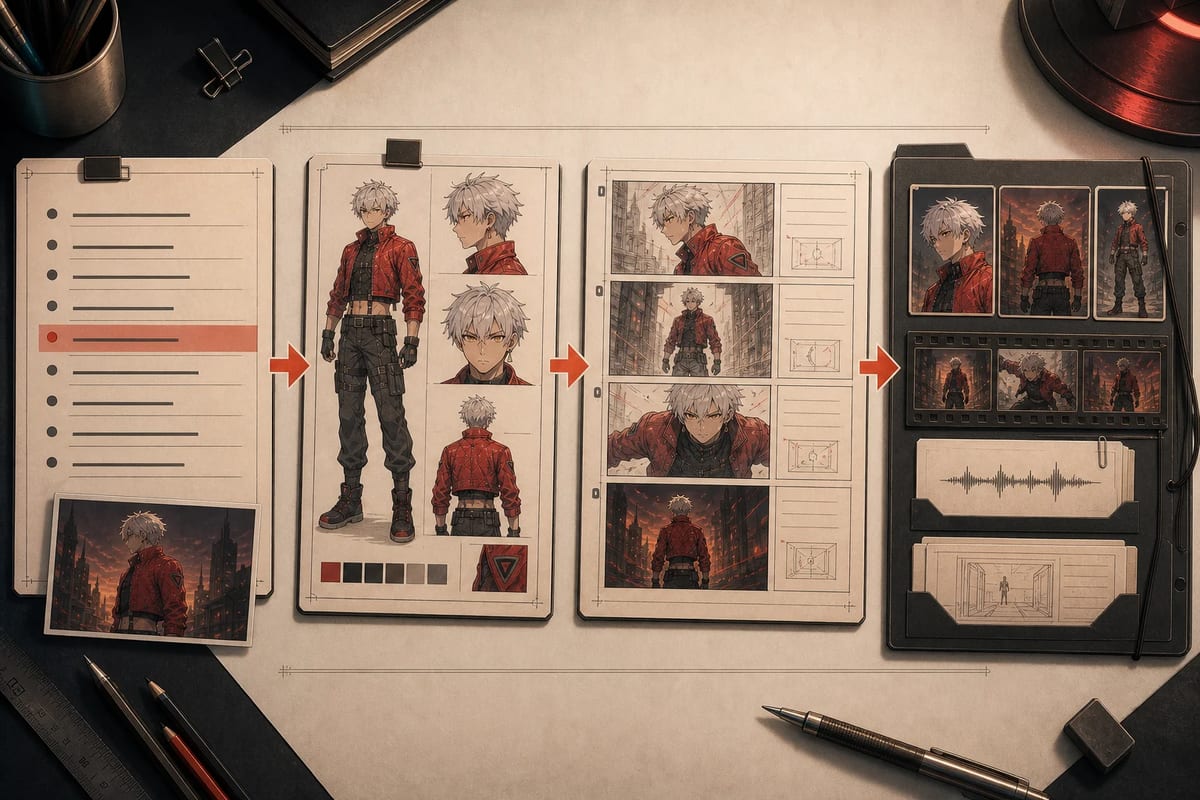
AI-generated conceptual workflow illustration; it is not a screenshot of the MkAnime interface.
MkAnime is primarily a connected anime production workflow. Its current product structure connects story development, reusable project characters and scenes, storyboard shots, dialogue audio, and downloadable production assets.
Use the dependency between those outputs to choose the right MkAnime workflow surface before you apply the full seven-test scorecard.
This makes it relevant to multi-shot shorts and recurring projects. A dedicated image generator may be more efficient for one isolated illustration. A specialist video model may be preferable when you already have keyframes and only need a particular type of motion. Final post-production may still require a dedicated editor, depending on the deliverable.
Apply the same seven tests to MkAnime. Use the AI anime video workflow for the product overview, then check the current pricing, Terms, and export behavior before deciding.
Test character consistency, storyboard organization, local revision, reference management, difficult-shot recovery, voice and audio, and export. Use the same scene and evidence rules for every candidate, then consult the current AI anime generator comparison for product-specific results.
Recurring series usually depend on character consistency, reusable references, shot organization, and selective revision. A polished sample image does not demonstrate how the workflow handles later scenes.
Use specialist tools when their output quality justifies the handoffs and you have a dependable way to transfer scripts, references, shots, audio, and metadata. Use a connected workflow when preserving project context matters more than switching among specialist interfaces.
Start with two or three candidates that match the required output category. A small, well-documented comparison is more useful than a long list tested under different conditions.
Repeat it after a major model or product update, a pricing-plan change, or a change in your project type. Keep the original test date visible instead of changing the date without running the work again.
Choose an AI anime generator by testing the work that follows the first attractive output.
Define the deliverable, run one small story, keep the inputs comparable, score the same seven areas, document external work, and inspect the final handoff. The evidence log will show which product supports your project’s difficult steps and which limitations you are prepared to manage.
See MkAnime’s current AI anime generator comparison.
To see this evaluation method applied to a current video model, review our five real Seedance 2.5 anime scene tests, then generate a video with a prompt to try the model yourself.
Sonya is part of the three-person team behind MkAnime and contributed to this guide’s research, editorial design, and product-fact review.
From inspiration to complete plot, quickly output chapter structure