
Back to blog
Aug 8, 2026
Image-to-Video Prompts for Anime: 7 Motion Templates
Write clearer anime image-to-video prompts with seven copy-ready templates for character motion, action, camera stability, loops, comic art, and storyboards.
Aug 8, 2026
Write clearer anime image-to-video prompts with seven copy-ready templates for character motion, action, camera stability, loops, comic art, and storyboards.
Describe visible change, give the camera one job, and finish on a composition you can review.
By Sonya, Contributor of MkAnime · Published August 8, 2026
Disclosure: I contribute to MkAnime, whose GPT Image2 to Video tool appears in this guide. AI assistance was used to organize and edit the article. I reviewed the examples and product details against the current workflow on August 8, 2026.
An effective image-to-video prompt for anime describes what remains recognizable, what changes, how the camera observes the change, how the environment responds, and where the shot ends.
Use this formula:
Identity + start state + action chain + camera + secondary motion + end state + exclusions
Style words still matter, but they do not direct motion. “Cinematic anime, dynamic, high quality” leaves the action and camera unresolved. A useful prompt turns those decisions into visible instructions.
If the source image still needs work, start with the shot-first anime image-to-video workflow to check composition, identity anchors, depth, camera role, and the intended ending.
This generated lychee board names movement, action, lens, shot size, sound, and endpoint before the clip is rendered. Those are the kinds of decisions each prompt template below is designed to make explicit.
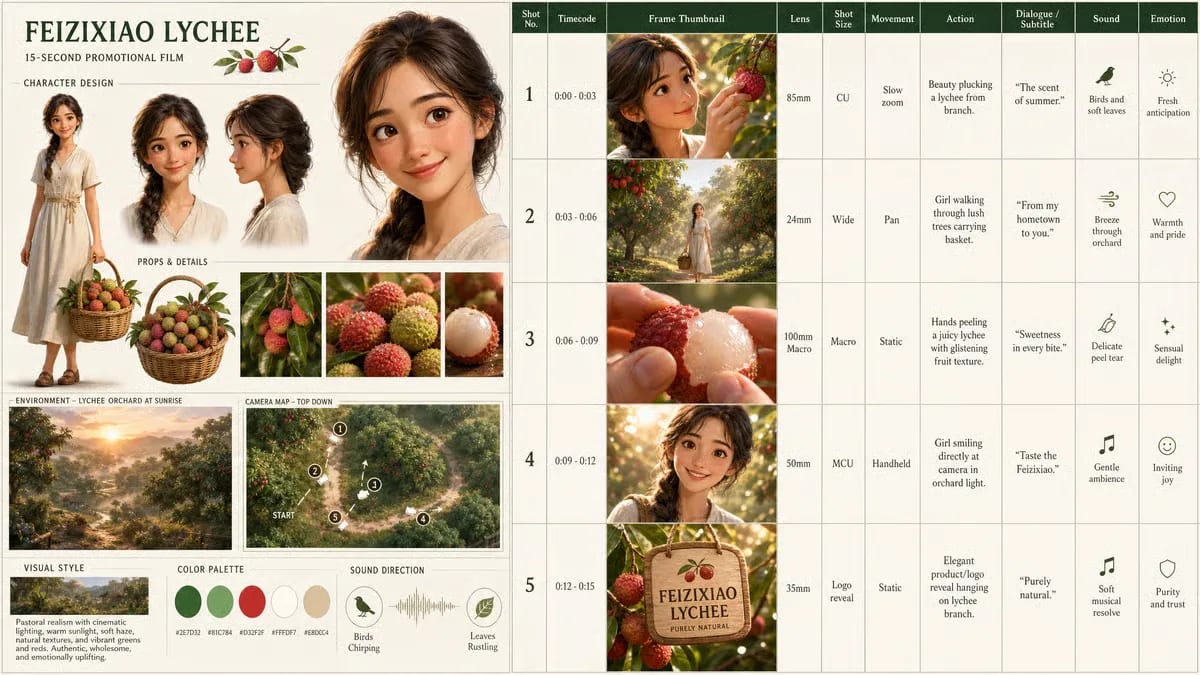
The storyboard translates motion language into five reviewable beats.
The finished clip follows the planned zoom, walk, macro detail, character look, and product ending.
Record the details that should survive motion:
Choose three anchors for the review. A prompt cannot make generation deterministic, but visible anchors make drift easier to diagnose.
Describe the opening composition and the subject’s condition:
Begin in a steady medium shot. The adult courier stands under a station canopy, left hand on the bag strap, looking toward the dark tunnel.
The opening should agree with the source image. Do not ask the first frame to be both a close-up and a full-body composition.
Write actions in order and connect them through cause and effect:
A warning light flashes. The courier turns toward it, tightens the strap, steps back from the platform edge, then freezes when a train light appears.
The trigger gives the movement a reason. The endpoint prevents the action from continuing without purpose.
Choose one job:
Add one or two small responses after the primary action:
Write the final frame like a still-image brief:
End in a medium close-up with the courier facing the tunnel, left hand resting on the strap, red hair clip visible, and warm light behind the right shoulder. Hold briefly.
List specific conflicts:
Some systems expose a separate negative-prompt field and others do not. The same exclusions can be written inside the main brief when necessary.
Create a [DURATION]-second original [ANIME VISUAL DIRECTION] shot.

IDENTITY: Preserve [FACE, HAIR, OUTFIT, PALETTE, BODY, AND SIGNATURE DETAILS]. Treat [THREE ANCHORS] as fixed.

START: Begin from [SHOT SIZE, ANGLE, SUBJECT POSITION, POSE, PROP POSITION, AND ENVIRONMENT].

ACTION: [VISIBLE TRIGGER]. The subject [PRIMARY ACTION], then [SUPPORTING ACTION], and finishes by [END OF ACTION]. Keep the cause-and-effect order readable.

CAMERA: [ONE CAMERA ROLE, SPEED, AND ENDPOINT]. Keep [HORIZON / LENS LANGUAGE / FRAMING] stable.

SECONDARY MOTION: [ONE OR TWO ENVIRONMENTAL RESPONSES] after the main action.

END: Finish on [SHOT SIZE, POSE, GAZE, PROP POSITION, LIGHT, AND BACKGROUND RELATIONSHIP]. Hold briefly.

FINISH: [LINEWORK, SHADING, COLOR, DEPTH, MOTION TREATMENT, AND LIGHT].

AVOID: [UNWANTED PEOPLE, CAMERA MOVES, IDENTITY CHANGES, TEXT, ARTIFACTS, OR STYLE CONFLICTS].
Use this when facial identity and a small emotional change matter more than large motion.
Create an 8-second original 2D cel-shaded anime performance. Preserve the adult radio host’s oval face, chin-length black bob, copper hair clip on the right, cream cardigan, navy shirt, and silver field recorder on a blue strap.

Begin in a locked medium close-up inside a quiet studio before dawn. A red signal light turns on. The host glances toward it, takes a slow breath, touches the recorder with the right hand, and forms a small determined smile.

Camera: locked tripod, fixed horizon and framing, no zoom, pan, orbit, or cut. Only natural blinking, breathing, the right-hand gesture, and a slight movement in the cardigan sleeve. End with the host looking directly past camera, hand resting on the recorder. Soft clean linework, light cel shadows, muted blue and cream palette. No subtitles, extra people, duplicated recorder, face drift, or moving background equipment.
Use one approach, contact, and reaction instead of a complete fight scene.
Create a 7-second 2D anime action shot with two original adult rivals on a rain-dark rooftop. Preserve Character A’s short silver hair, cobalt coat, and narrow staff. Preserve Character B’s dark hair, charcoal coat with red collar, and folding blade.

Begin in a wide two-shot with clear separation. Character A steps forward and swings once. Character B shifts left, blocks once, and slides back one step. End in a still face-to-face stance with both profiles, hands, and weapons readable.

Camera: one short lateral track following the contact, then hold. Use controlled speed smears only during the swing. Rain and coat hems respond after the impact. No extra fighters, repeated attacks, spinning camera, duplicated weapons, broken hands, or cutaways.
Searchers often ask how to stop unwanted camera movement. Describe the stable setup and the remaining motion together.
Locked tripod camera at eye level. Fixed 16:9 composition, fixed horizon, fixed focal length, no zoom, no pan, no tilt, no orbit, no handheld shake, and no cut.

The adult anime archivist stands beside a window. Only the eyes move toward the rain, the chest rises with one breath, the left hand closes a book, and two loose hair strands settle. The room, shelves, window frame, and background perspective remain still. End on the original composition and hold.
If the camera still drifts, simplify the subject movement and remove language such as “cinematic sweep,” “dynamic perspective,” or “immersive camera.”
Create a 9-second anime mystery shot. Begin in a medium shot of an adult courier holding a sealed parcel in a dim train carriage. A quiet knock comes from inside the parcel. The courier looks down, loosens the top clasp with one hand, and a narrow blue light appears through the seam.

Camera: one slow centered push from medium shot to close-up on the courier’s face and parcel; no orbit, no pan, no cut. Keep the parcel, both hands, and face readable. End when the blue light reaches the courier’s eyes. Hold for one beat. No creature reveal, subtitles, logos, extra passengers, or changing carriage layout.
The prompt stops before the full answer. The camera move supports the reveal instead of trying to carry a complete sequence.
Create a seamless 6-second anime motion-poster loop for an original night market festival. Preserve the centered masked dancer, circular paper lantern arrangement, magenta title-safe area at the top, and teal-gold palette.

Camera remains fixed. Lantern light travels clockwise, the dancer’s coat hem lifts and returns, two paper charms rotate once, and a soft reflection passes across the mask. End exactly on the opening pose, lantern brightness, and charm orientation so the loop can repeat. No readable text, logo, camera move, crowd, costume change, or new objects.
Keep title text outside the generated video when possible. Add final typography during editing.
Create an 8-second original comic-style animation from the approved rights-cleared illustration. Preserve the ink contours, limited cream-black-red palette, halftone shadow shapes, panel border, and adult detective’s face and trench coat.

Begin with the full panel held still. The camera makes a slow 8% push toward the detective. Rain strokes move downward in the background, one red reflection passes across the glasses, and the speech-balloon area remains empty and stable. The detective lowers the chin slightly and closes the notebook. End on a close composition with the ink lines and halftone texture intact. No repainting into 3D, no photorealism, no added dialogue, no warped border, and no extra fingers.
This template protects the drawing language and limits motion to a few layers. The manga panel animation Guide covers panel preparation in more detail.
Create a 15-second original 2D cel-shaded anime sequence guided by the approved wide storyboard. Preserve the same adult courier, silver hair with left red clip, rust jacket, black strap, elevated station, blue dawn palette, and train design across every beat.

Beat 1: wide station view; the courier enters from the right as the warning light flashes.
Beat 2: medium action; the courier catches a sliding ticket before it crosses the platform line.
Beat 3: close performance; the courier reads the ticket and looks toward the tunnel.
Beat 4: wide ending; the train arrives and warm door light crosses the platform.

Maintain screen direction and cause-and-effect order. Use one controlled cut between beats, stable camera language, and restrained secondary motion. End with the courier standing beside the open train door, ticket visible, warm light on the rust jacket. No new character, costume change, reversed strap, unreadable sign, title card, or unrelated cutaway.
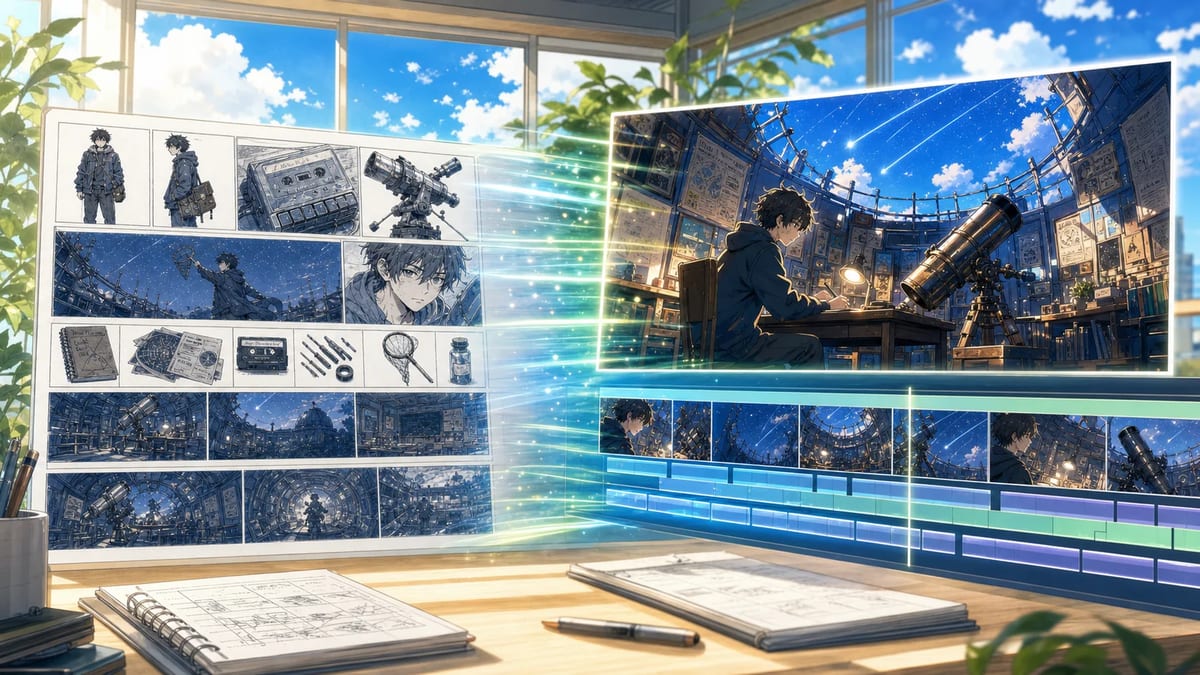
A storyboard-guided prompt can refer to an approved sequence instead of re-describing every visual decision from memory.
A long list of generic quality terms can become difficult to maintain. Group exclusions by failure type.
| Failure type | Useful constraints |
|---|---|
| Identity | face drift, hair length change, reversed accessory, costume recolor |
| Anatomy | extra fingers, merged hands, duplicated limbs, broken contact |
| Camera | unwanted orbit, random zoom, horizon tilt, handheld shake |
| Composition | cropped hands, lost prop, new subject, background rearrangement |
| Style | photorealism, 3D repainting, linework loss, texture replacement |
| Text | subtitles, logos, watermarks, unreadable signs, warped speech balloons |
Use exclusions that protect the intended shot. “No bad quality” is less actionable than “no new character, no camera orbit, and no red clip moving to the right side.”
| Result problem | First prompt change |
|---|---|
| face or outfit drifts | reduce body/camera motion; strengthen three identity anchors |
| camera moves unexpectedly | describe a locked setup; remove dynamic camera adjectives |
| action is unclear | reduce the chain to trigger → action → finish |
| background overwhelms subject | keep one environmental response and remove the rest |
| shot never settles | rewrite the end state and add a brief hold |
| comic drawing becomes 3D | name line, palette, halftone, texture, and unwanted repainting |
Keep the previous output. Change one block, then compare the same failure category.
The GPT Image2 to Video tool starts with a short story prompt, generates a wide storyboard image, and then creates a 15-second video guided by that board. The prompt you write should make the story’s subject, visible trigger, action order, and finish easy to translate into panels.
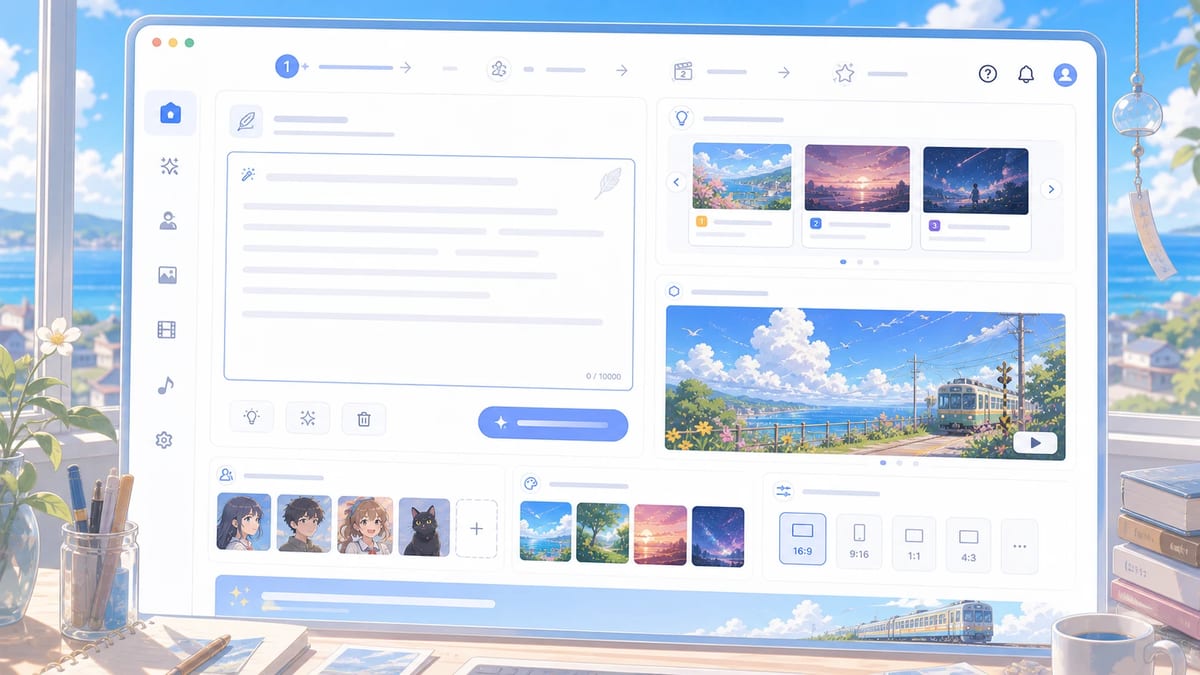
Use the GPT Image 2 prompt library for still-image composition and visual references. Use this Guide when the missing decisions involve time and motion. For a complete board-to-shot process, continue with the storyboard image-to-video workflow.
Include identity anchors, opening composition, an ordered action chain, one camera role, one or two secondary motions, a final composition, visual finish, and specific exclusions.
No. Describe the action logic and key states. Too many micro-actions can compete with one another. Use a storyboard or separate shots when the sequence needs several distinct compositions.
Name visible properties such as clean linework, simple cel shadows, limited palette, halftone texture, or watercolor edges. Protect the character design separately from the rendering style.
Use constraints tied to likely failures: unwanted camera orbit, extra people, duplicated accessories, face drift, cropped hands, text deformation, linework loss, or repainting into an unintended medium.
No. Precise language reduces ambiguity and creates review criteria. Generated video still needs inspection and controlled revision.
An anime image-to-video prompt is a motion contract. It identifies what must remain, what changes, how the camera helps, how the environment reacts, and where the shot finishes.
Start with one readable action. Direction becomes stronger when every added detail has a job.
From inspiration to complete plot, quickly output chapter structure